
Pathao
Connect Pathao to book parcels from your Shopify orders and get delivery updates back automatically. You copy your API credentials from Pathao into the app, then point Pathao’s webhook at the app.
Before you start
You need an active Pathao Courier merchant account. Keep two browser tabs open: the Pathao merchant panel and Settings → Couriers → Pathao in the app.
1. Sign in to Pathao
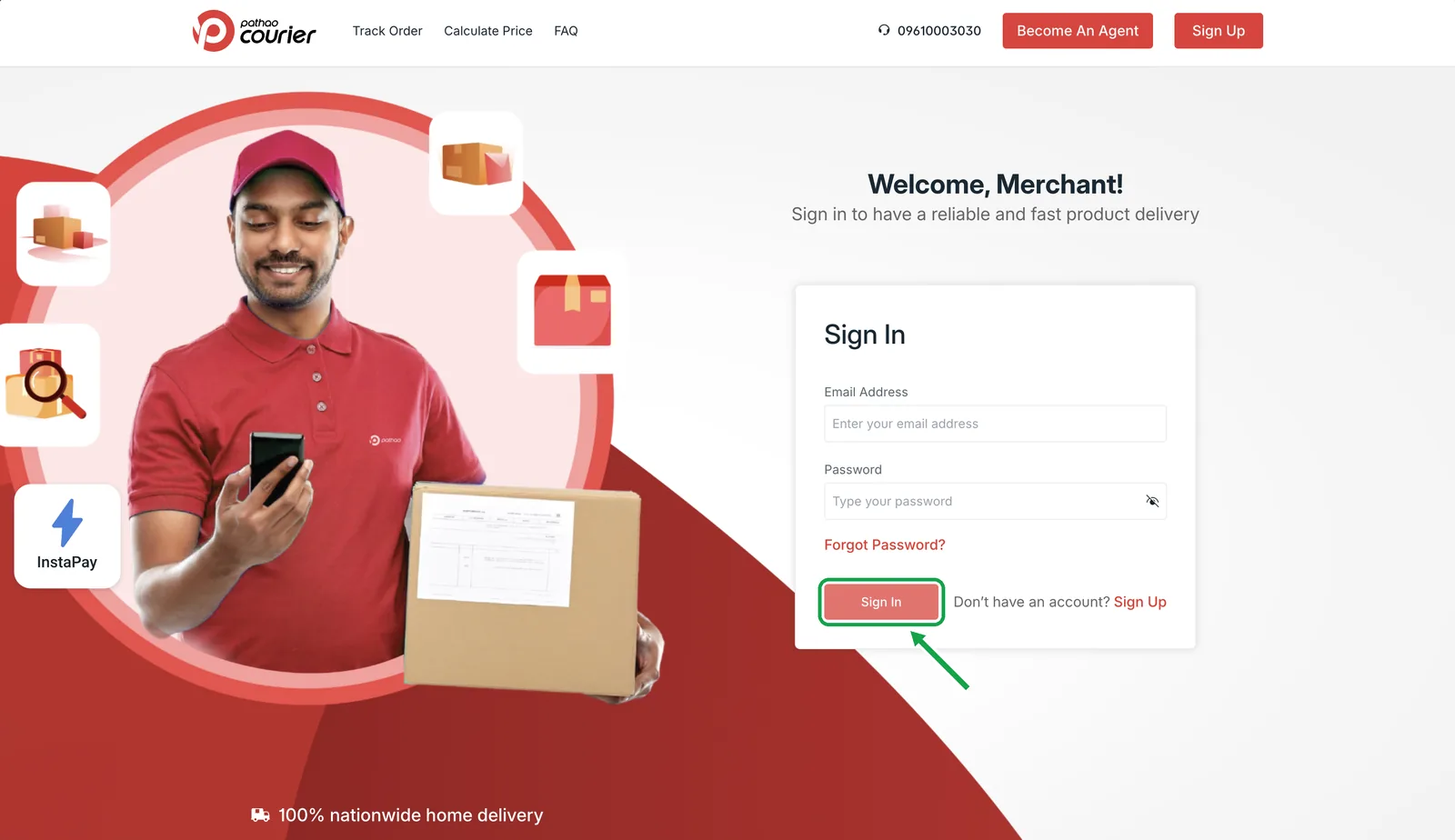
Go to the Pathao merchant panel, enter your email address and password, and click Sign In.
2. Open Developer’s API
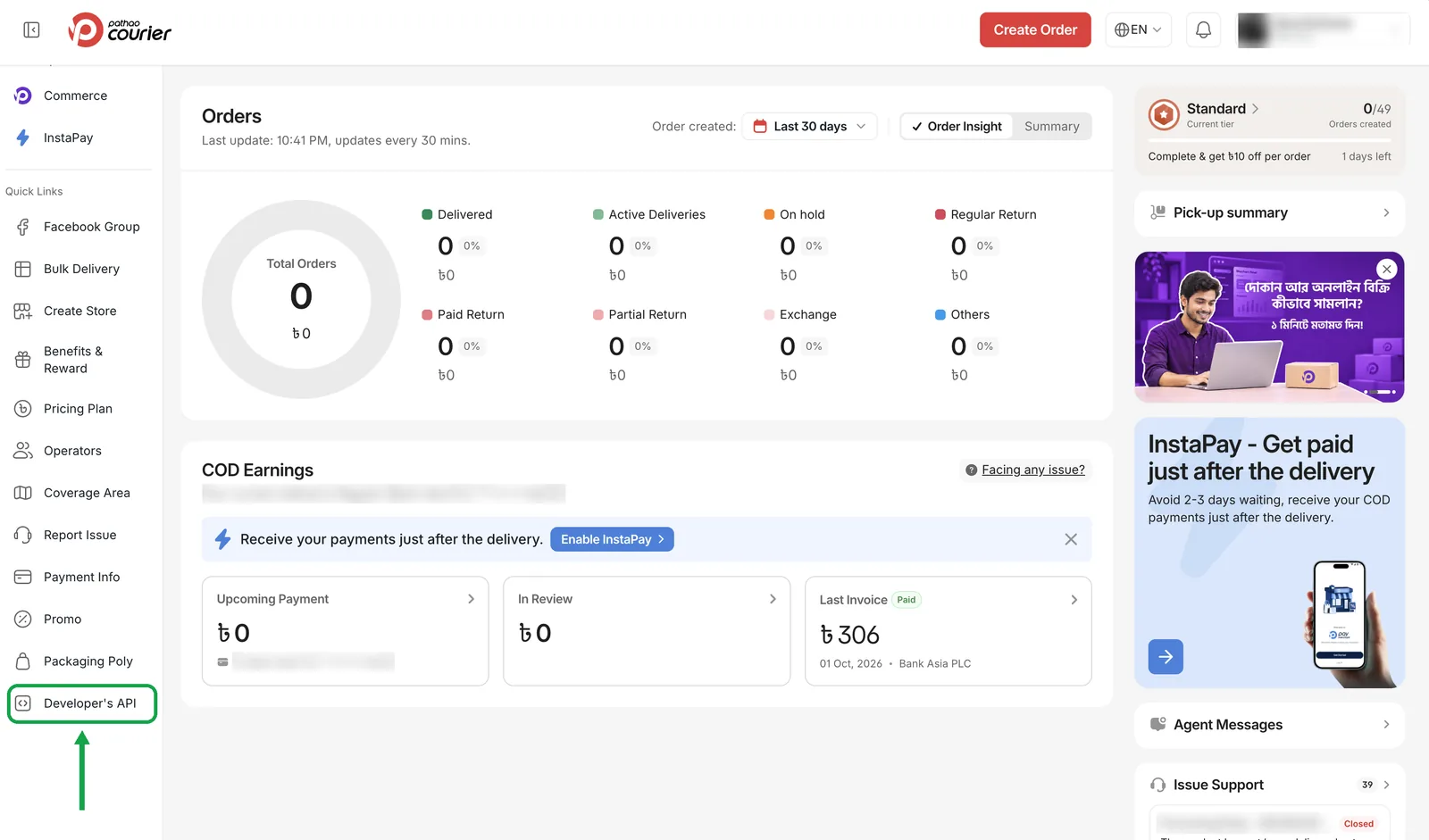
In the left sidebar, click Developer’s API.
3. Copy your Client ID and Client Secret
Under Merchant API Credentials, click the copy button next to Client ID, then next to Client Secret.
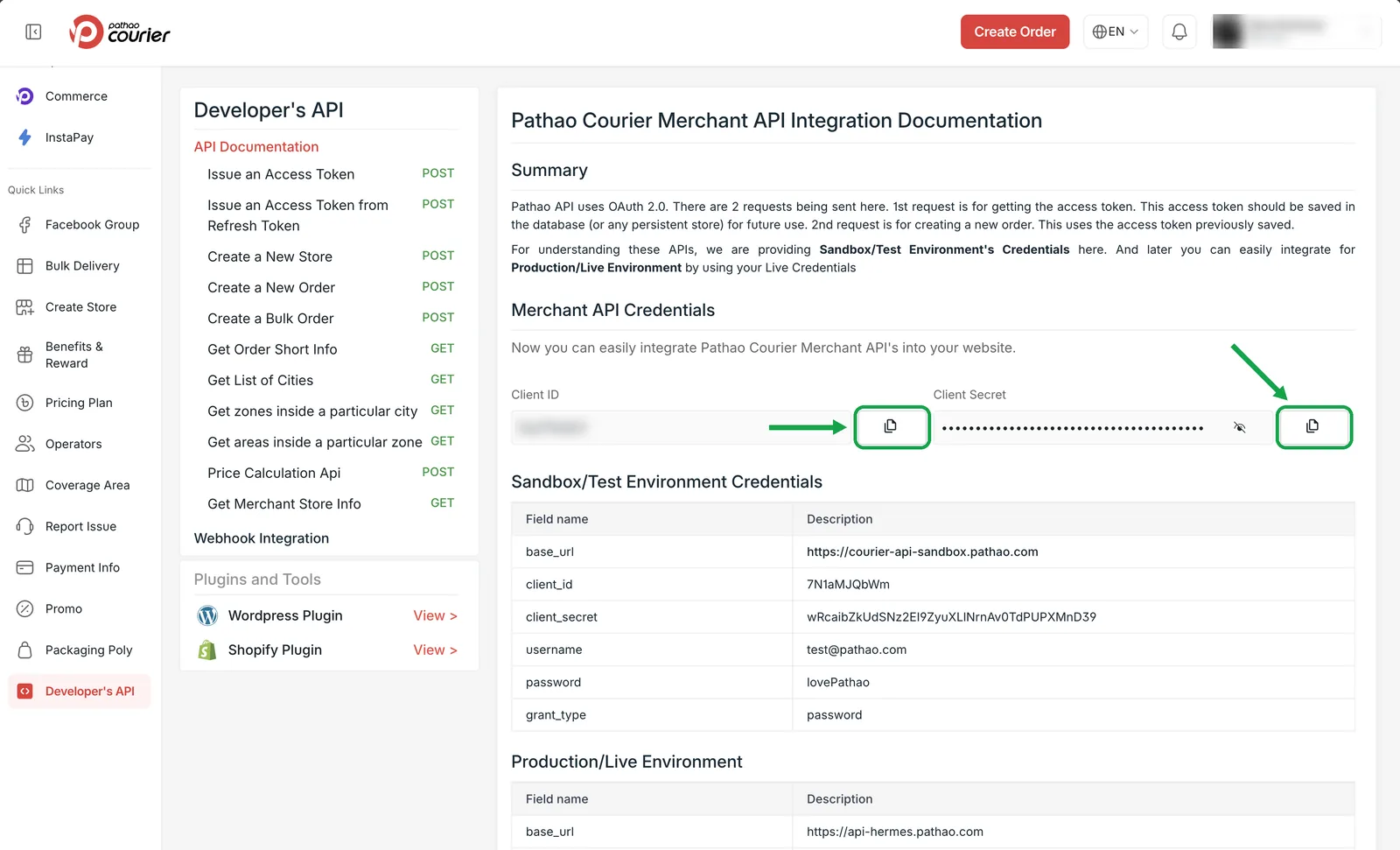
Use the Merchant API Credentials at the top, not the Sandbox/Test Environment Credentials further down. Sandbox credentials don’t book real parcels.
4. Paste the credentials into the app
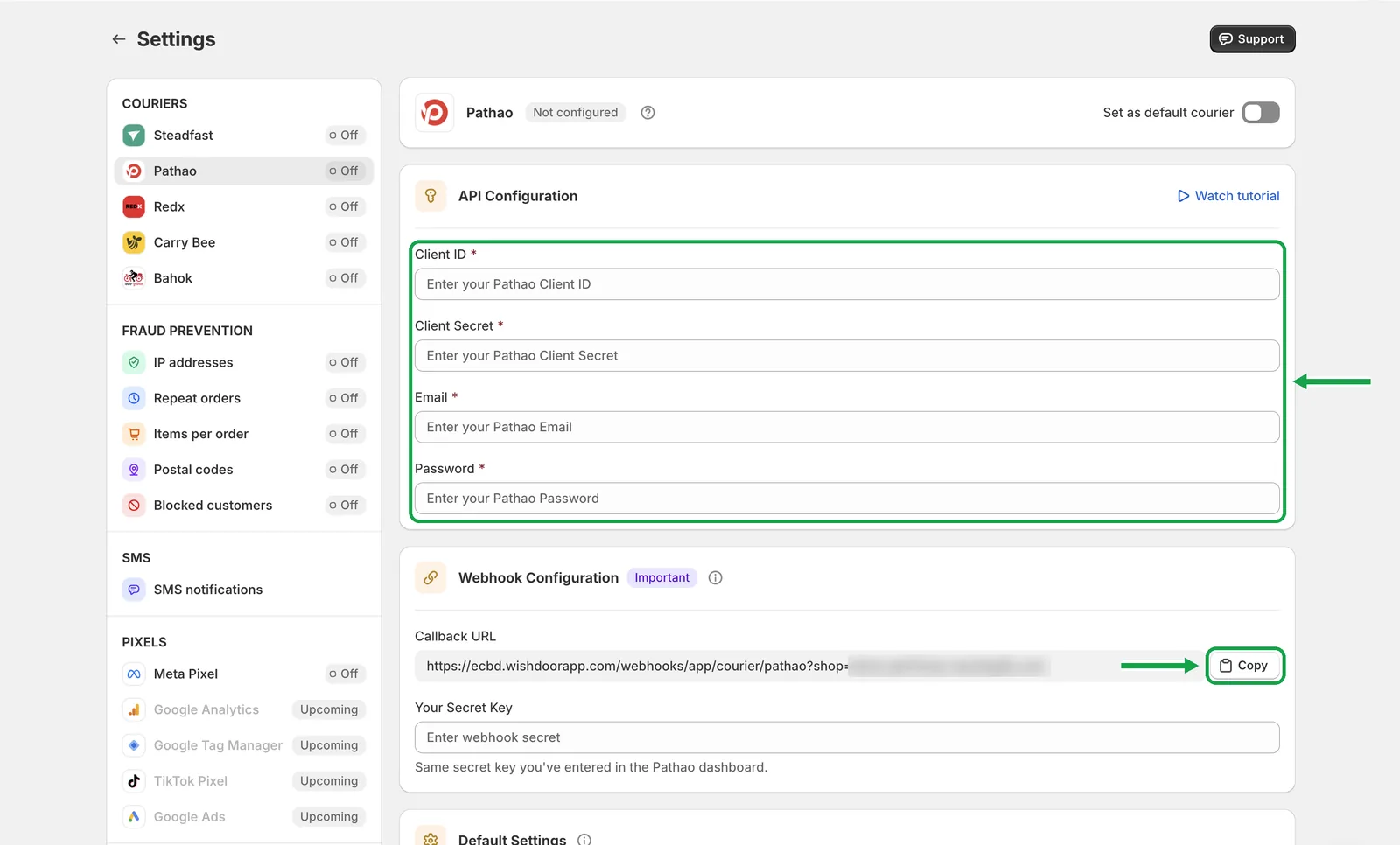
In the app, go to Settings → Couriers → Pathao and fill in:
| Field | What to enter |
|---|---|
| Client ID | The Client ID you copied |
| Client Secret | The Client Secret you copied |
| The email you use to sign in to Pathao | |
| Password | The password you use to sign in to Pathao |
Then click Copy next to the Callback URL. You need it in the next step.
5. Set up the webhook in Pathao
The webhook lets Pathao send delivery updates, such as delivered or returned, back to the app.
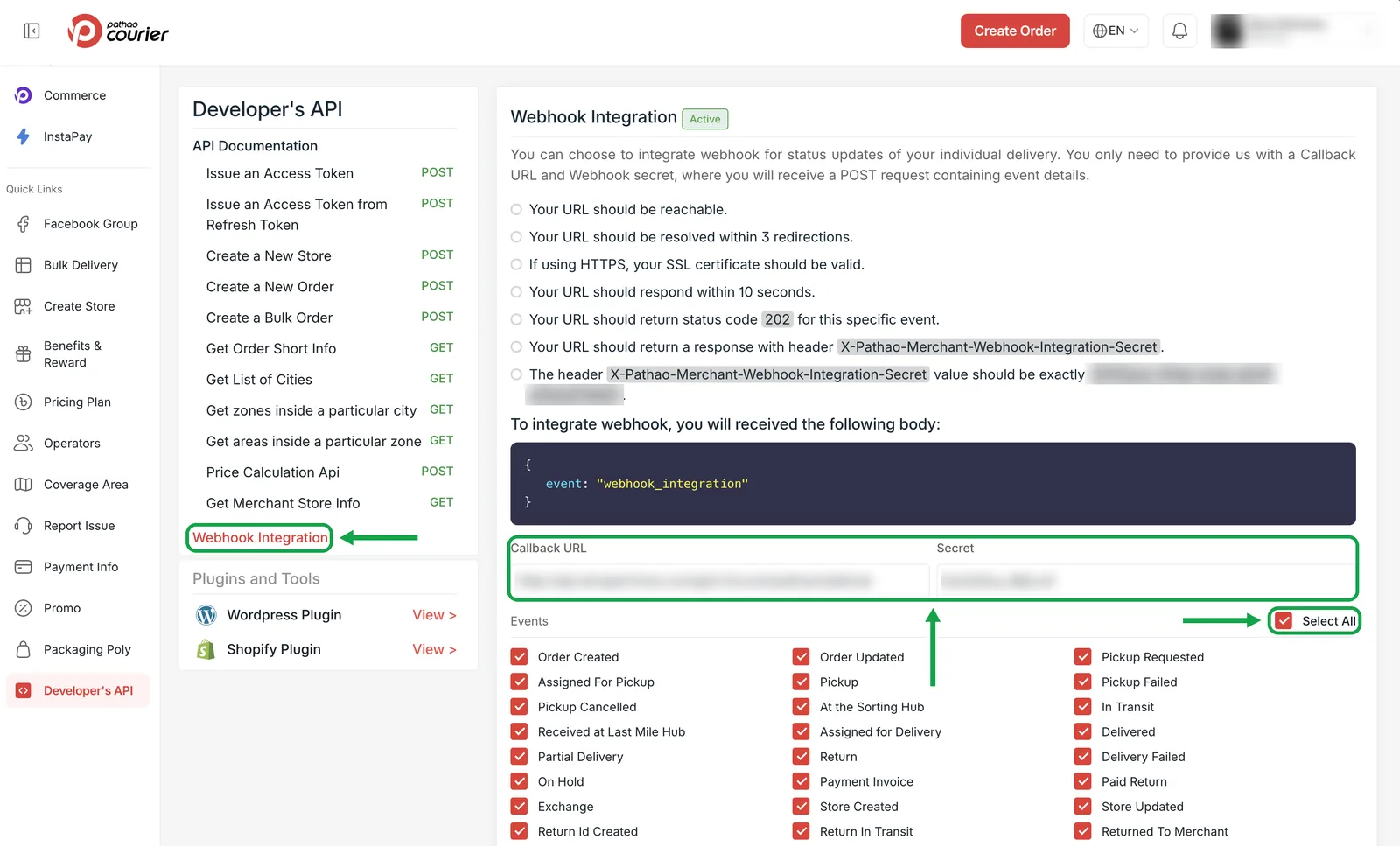
- In Pathao’s Developer’s API page, click Webhook Integration.
- Paste the app’s Callback URL into Callback URL.
- In Secret, type a secret of your choice, for example a long random password. Copy it; you need it in step 6.
- Tick Select All under Events so every status change is sent.
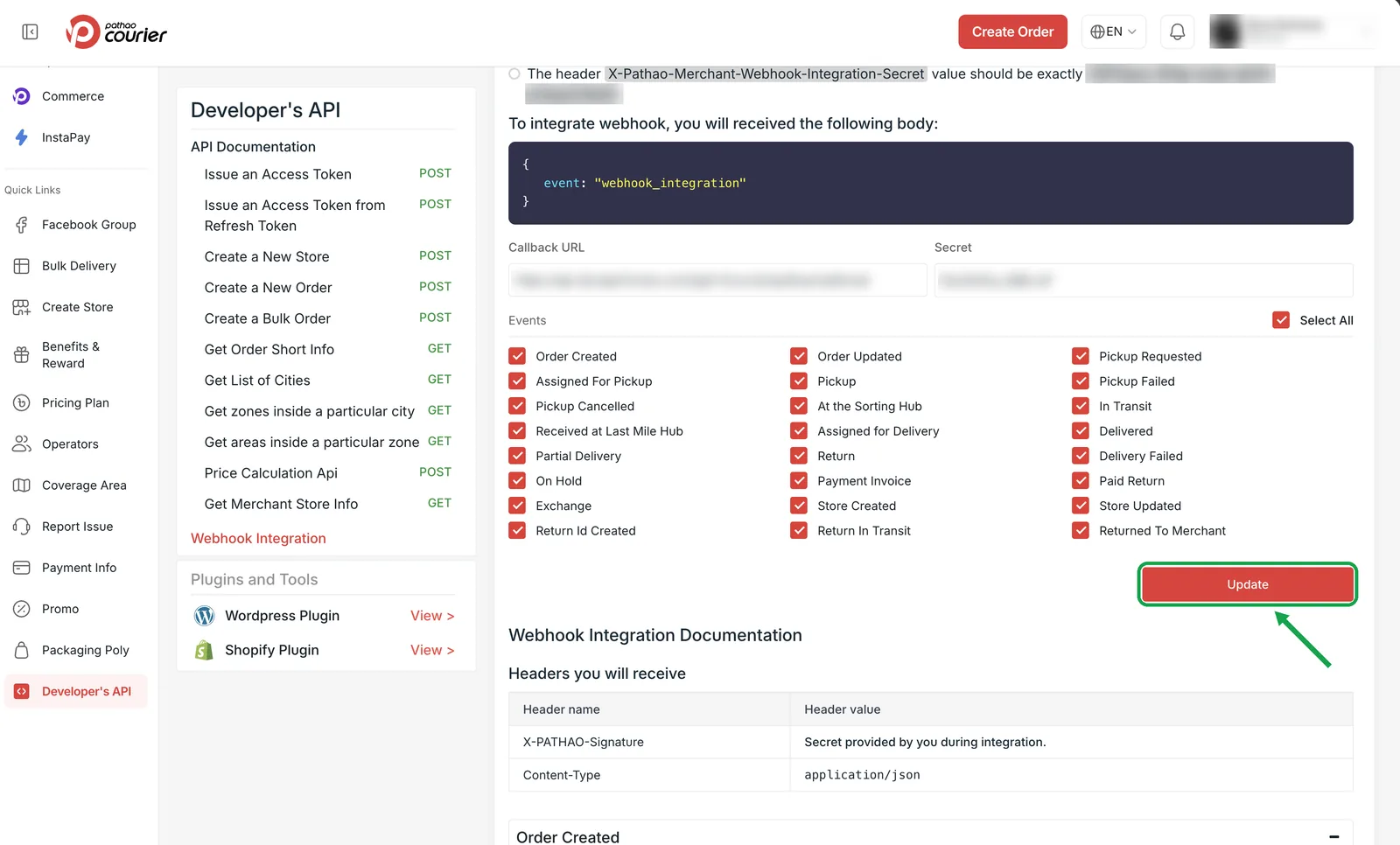
- Scroll down and click Update.
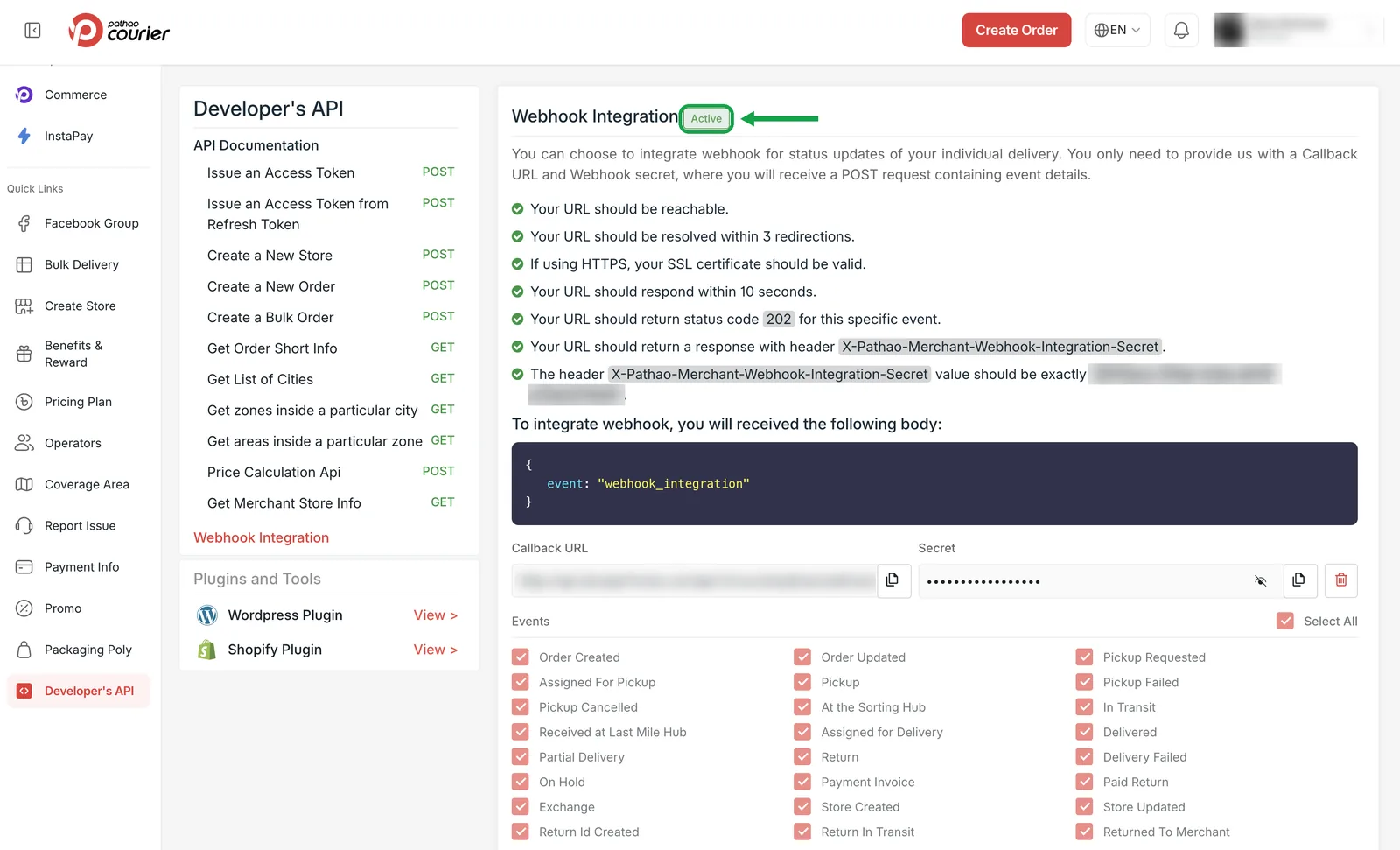
Pathao checks the URL straight away. When every check turns green, the webhook shows Active.
6. Add the secret and your defaults in the app
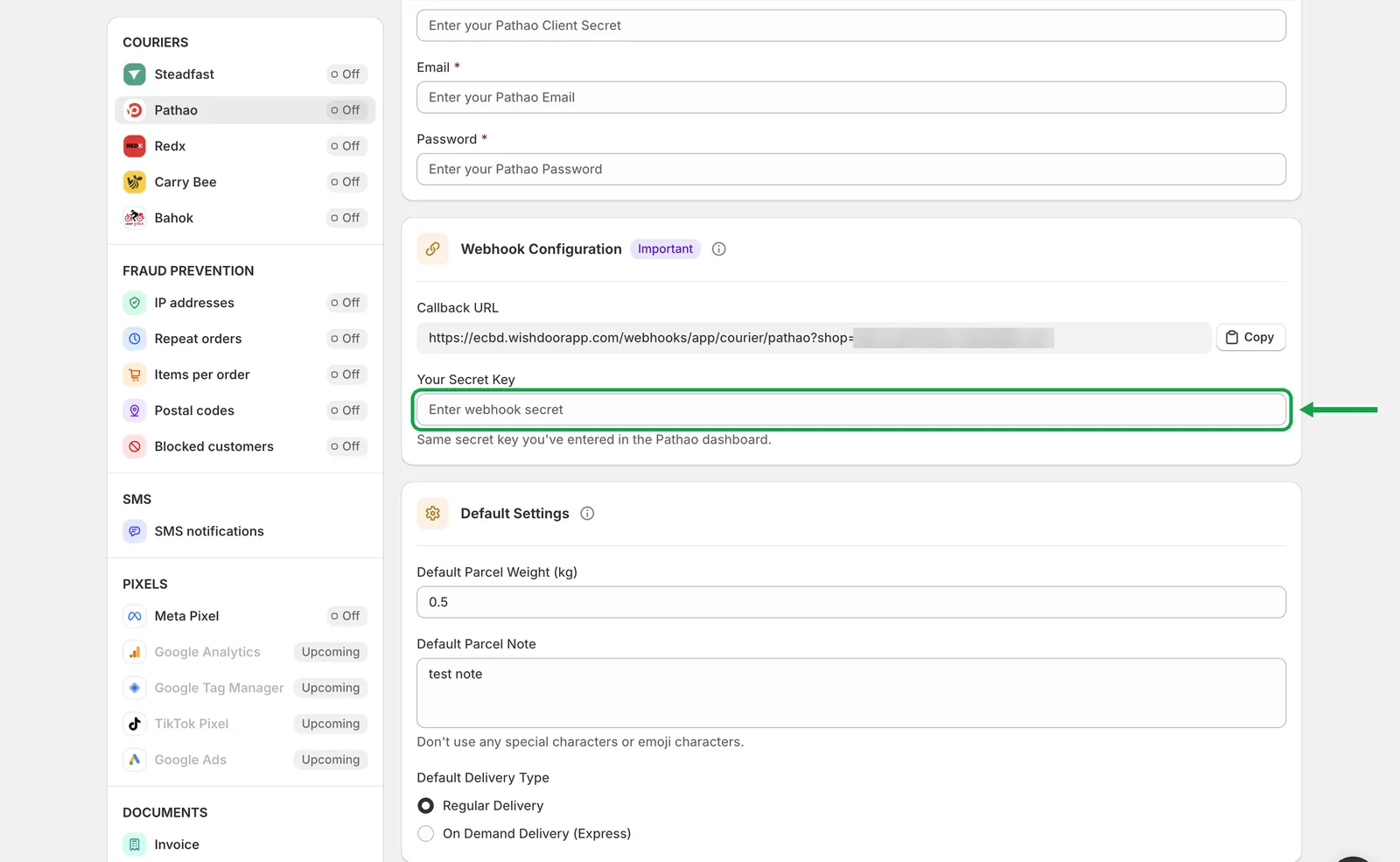
- Back in the app, paste the secret from step 5 into Your Secret Key. It must match the Secret in Pathao exactly.
- Under Default Settings, set:
- Default Parcel Weight (kg): used when an order has no weight, for example
0.5. - Default Parcel Note: optional. Don’t use special characters or emoji.
- Default Delivery Type: Regular Delivery or On Demand Delivery (Express).
- Default Parcel Weight (kg): used when an order has no weight, for example
- Click Save at the bottom of the page.
Turn on Set as default courier at the top if you want Pathao picked first when you assign orders.
Troubleshooting
| Problem | Fix |
|---|---|
| Saving fails | Check the email and password by signing in to Pathao with them. Copy the Client ID and Secret again with the copy buttons. |
| Pathao’s webhook checks stay grey or fail | Save the app settings first, then click Update in Pathao again. The Callback URL must match the app’s exactly. |
| Orders don’t update after delivery | The secret in Your Secret Key must match Pathao’s Secret exactly, and the webhook must show Active. |
| Parcel note rejected | Remove special characters and emoji from the Default Parcel Note. |
Next: assign your first order.