
Redx
Connect Redx to book parcels from your Shopify orders and get delivery updates back automatically. You copy your production API token from Redx into the app, then give Redx the app’s callback URL.
Before you start
You need an active Redx merchant account. Keep two browser tabs open: the Redx merchant panel and Settings → Couriers → Redx in the app.
1. Log in to Redx
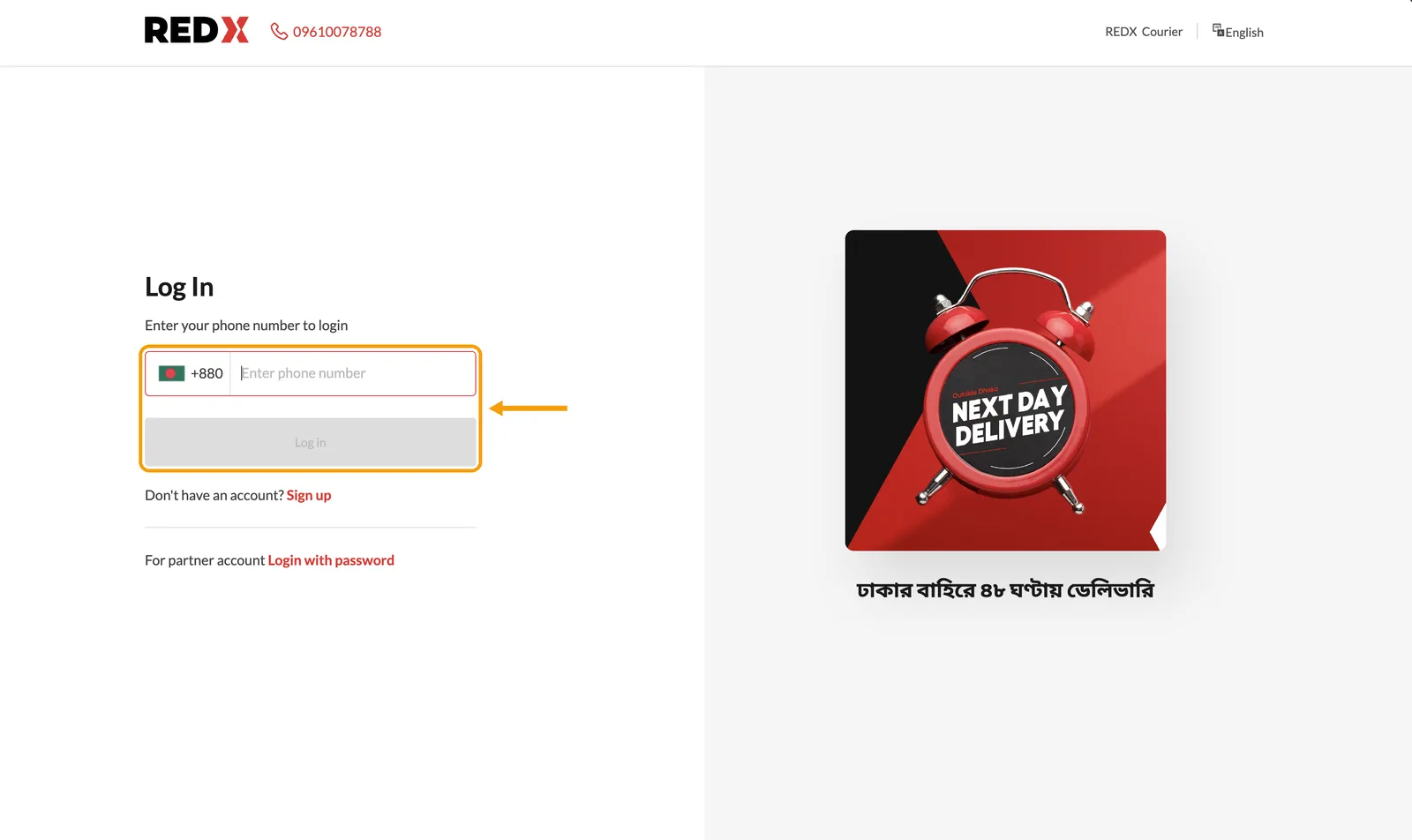
Go to redx.com.bd/login. Enter your phone number and click Log in, then confirm with the code Redx sends you.
2. Open Developer APIs
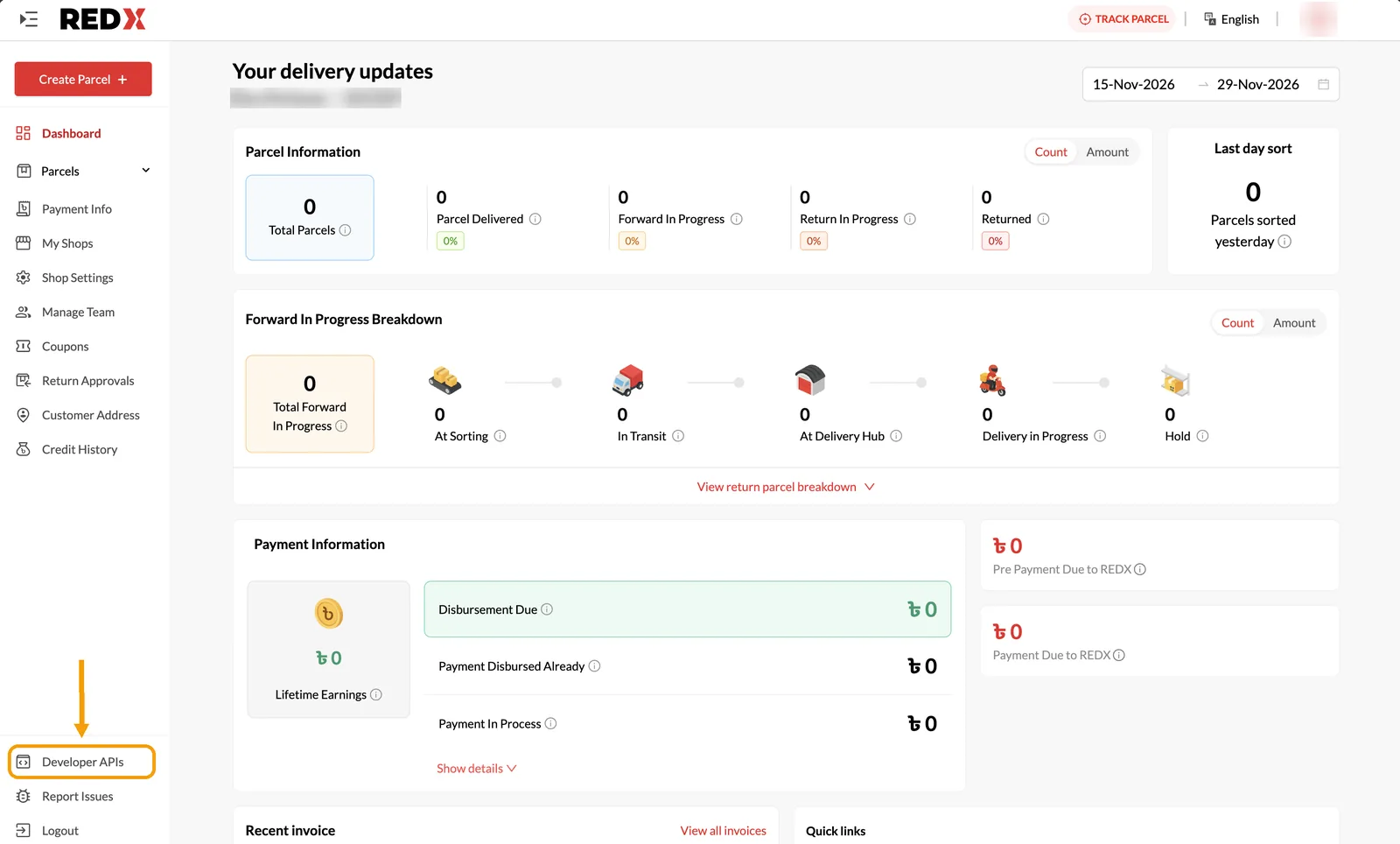
In the left sidebar, click Developer APIs. It’s near the bottom, above Report Issues.
3. Copy your production token
Under Configuration, find the Production box. Click the eye icon in the Token field to show the token, then select and copy all of it.
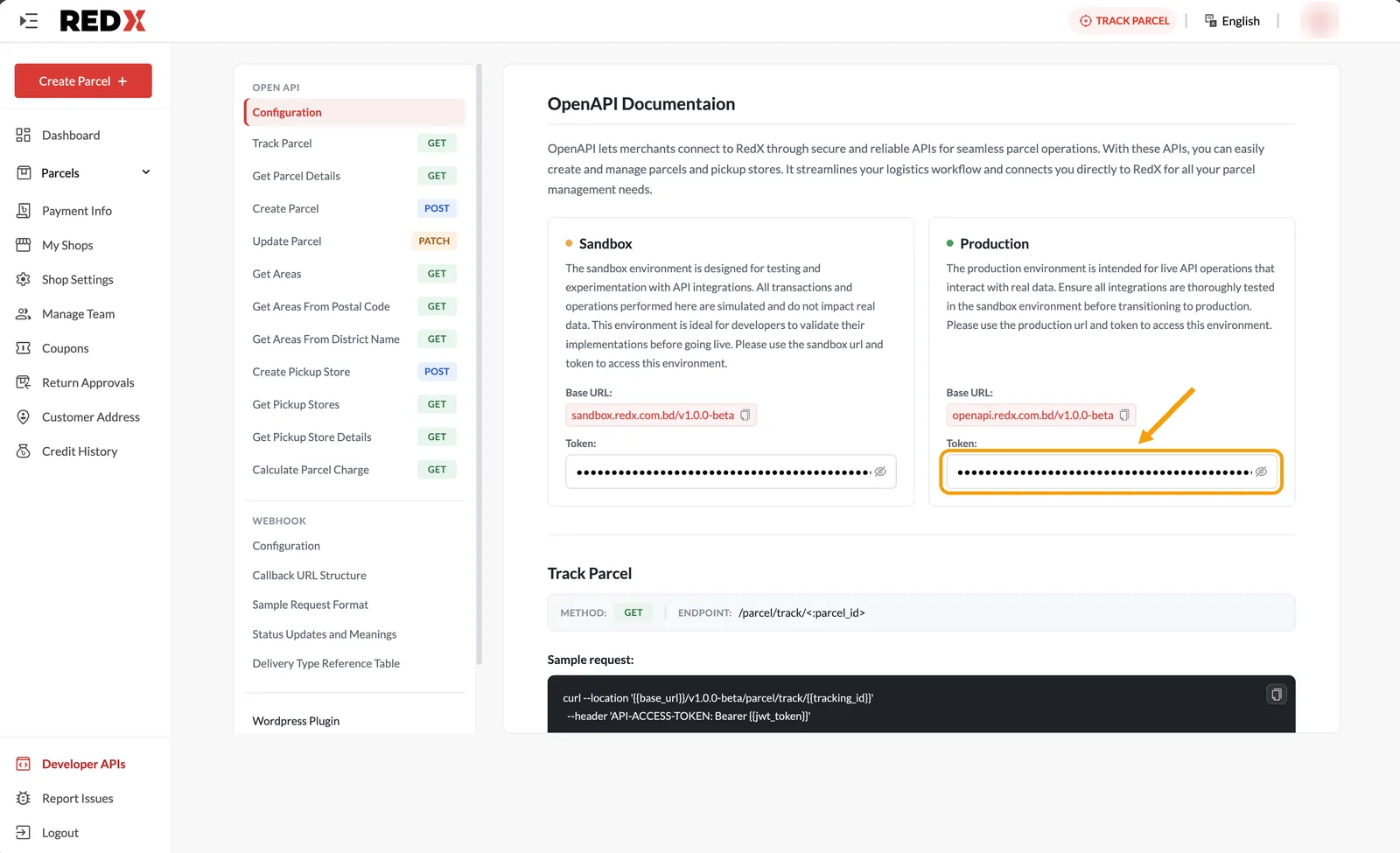
Use the Production token, not the Sandbox one. Sandbox parcels are only simulated and never reach a rider.
4. Add the token and a secret in the app
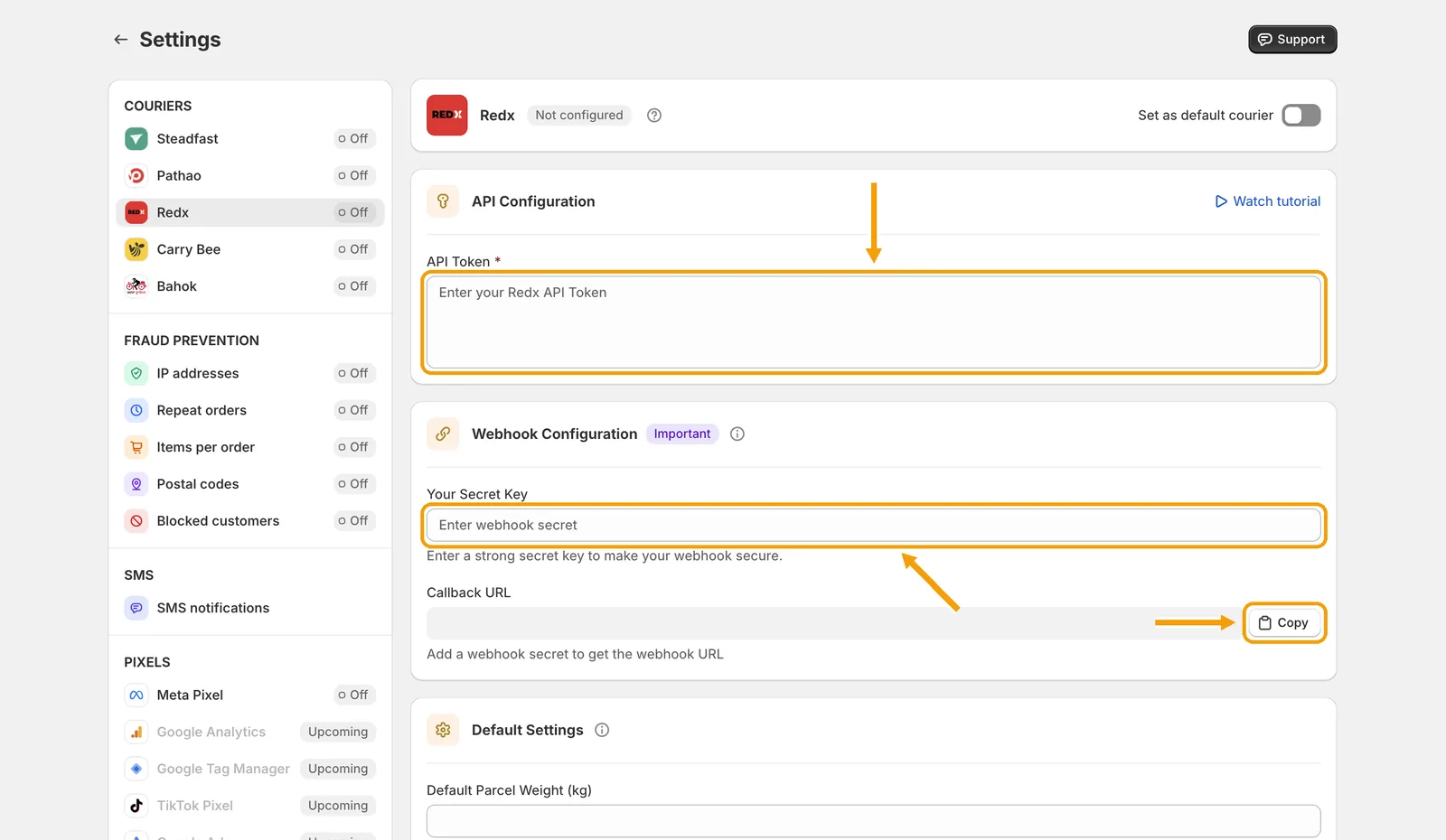
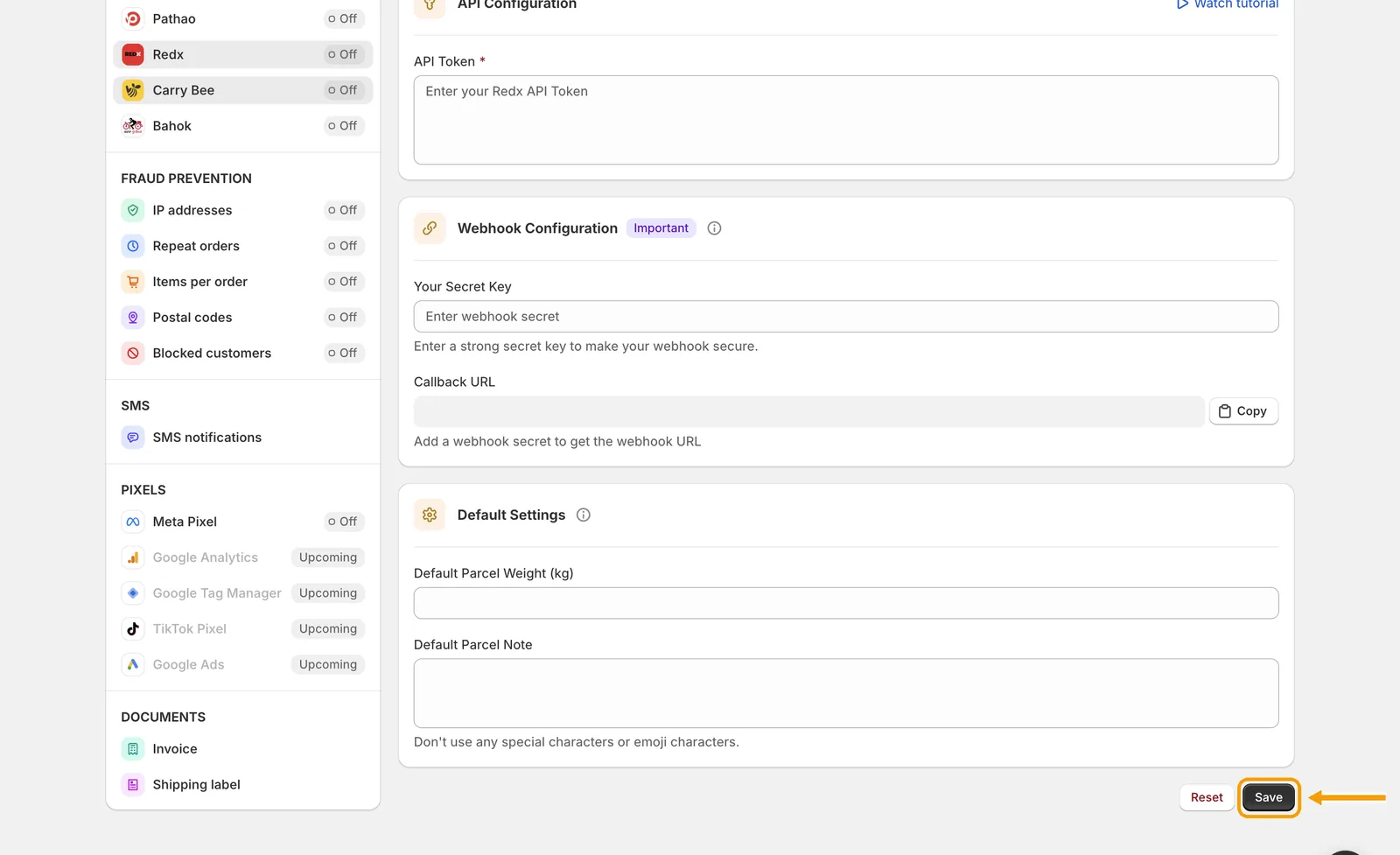
In the app, go to Settings → Couriers → Redx.
- Paste the token into API Token.
- In Your Secret Key, type a strong secret of your choice, for example a long random password. You don’t need to enter it anywhere in Redx.
- Once the secret is entered, the Callback URL fills in. Click Copy.
5. Connect the webhook in Redx
The webhook lets Redx send delivery updates, such as delivered or returned, back to the app.
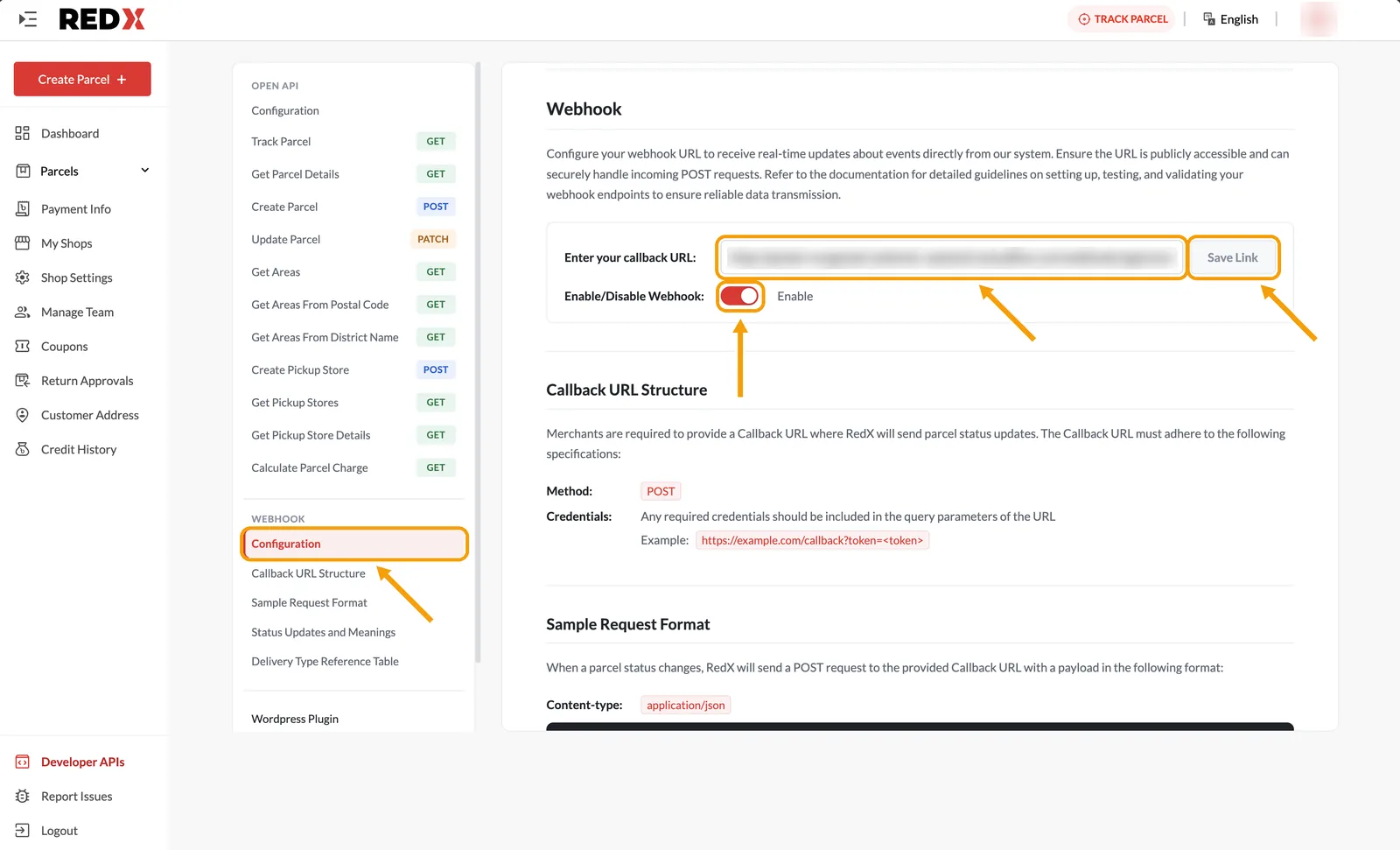
- In Redx’s Developer APIs page, click Configuration under Webhook.
- Paste the app’s Callback URL into Enter your callback URL.
- Click Save Link.
- Make sure Enable/Disable Webhook is switched on.
6. Set your defaults and save
Back in the app, under Default Settings:
- Default Parcel Weight (kg): used when an order has no weight, for example
0.5. - Default Parcel Note: optional. Don’t use special characters or emoji.
Click Save.
Turn on Set as default courier at the top if you want Redx picked first when you assign orders.
Troubleshooting
| Problem | Fix |
|---|---|
| Saving fails | Copy the token again. It’s long, so make sure none of it was cut off. Check you copied the Production token. |
| The Callback URL is empty | Enter Your Secret Key first. The URL appears once a secret is set. |
| Orders don’t update after delivery | Check the callback URL in Redx matches the app’s exactly and the webhook is Enabled. If you change your secret key, copy the new Callback URL into Redx again. |
| Parcel note rejected | Remove special characters and emoji from the Default Parcel Note. |
Next: assign your first order.