
Abandoned forms
When a shopper starts filling in the COD form but leaves without ordering, the app saves what they entered as an abandoned form. Many of these are real buyers who got distracted. A quick call often turns them into an order.
Open Abandoned Forms in the app menu.
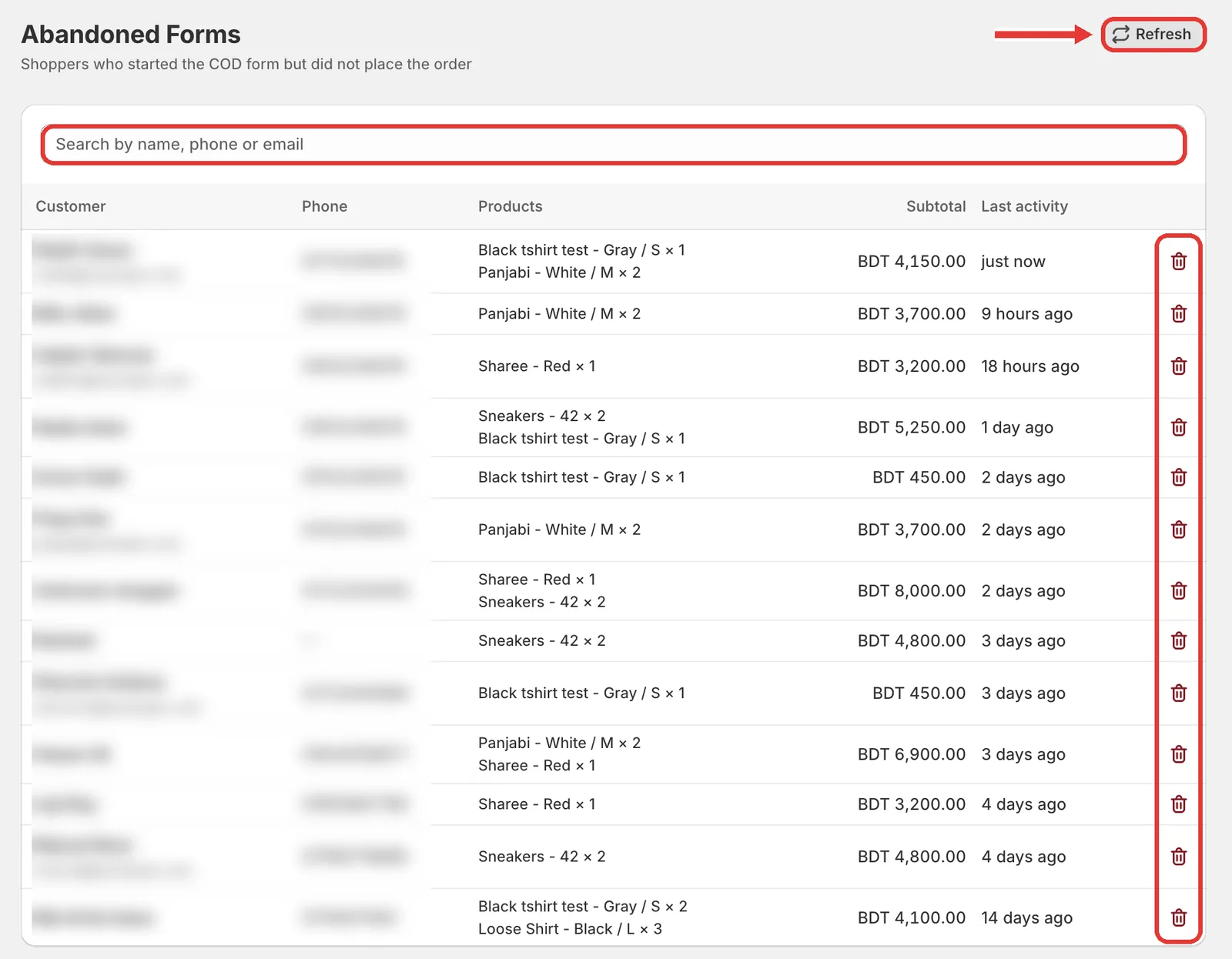
What you see
| Column | Meaning |
|---|---|
| Customer | The name, and email if they entered one. Unknown shopper means they left before typing a name. |
| Phone | The phone number they entered, if any |
| Products | What was in the form, with variant and quantity |
| Subtotal | The value of those products |
| Last activity | When they last touched the form, for example 2 days ago |
Find a shopper
Type a name, phone number or email in Search by name, phone or email. Click Refresh to load forms abandoned since you opened the page.
Recover the order
- Call or text the shopper on the number shown. Mention the products they chose.
- If they still want them, create the order with Create order on the Dashboard.
- Delete the abandoned form with the bin icon so your list only shows shoppers you haven’t contacted.
Act fast. Shoppers are most likely to order within a day. Sort your follow-ups by Last activity and start with the newest.
Good to know
- A form needs at least a phone number to be worth following up. Rows without one, shown as —, can usually be deleted.
- Abandoned forms with large subtotals are worth a call first.