
Steadfast
Connect Steadfast to book parcels from your Shopify orders and get delivery updates back automatically. You copy two keys from Steadfast into the app, then point Steadfast’s webhook at the app.
Before you start
You need an active Steadfast merchant account. Don’t have one? Register on Steadfast first.
Keep two browser tabs open: the Steadfast merchant panel and Settings → Couriers → Steadfast in the app.
1. Sign in to Steadfast
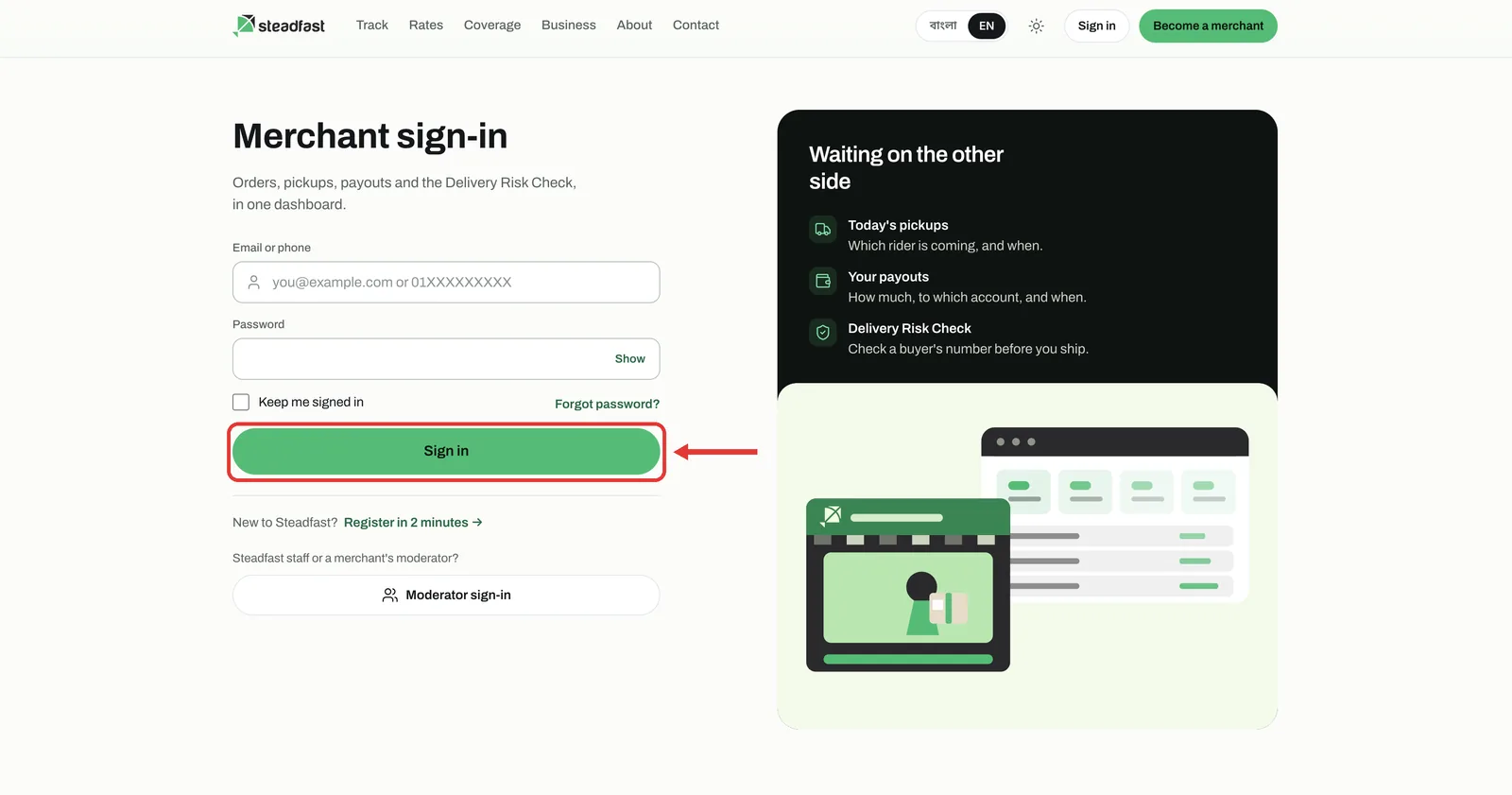
Go to steadfast.com.bd/login, enter your email or phone and password, and click Sign in.
2. Copy your API keys from Steadfast
- In the Steadfast sidebar, click API.
- If you don’t have a key yet, give it a name such as “Shopify” and click Create another key.
- Click Copy next to the API key, and then next to the Secret key.
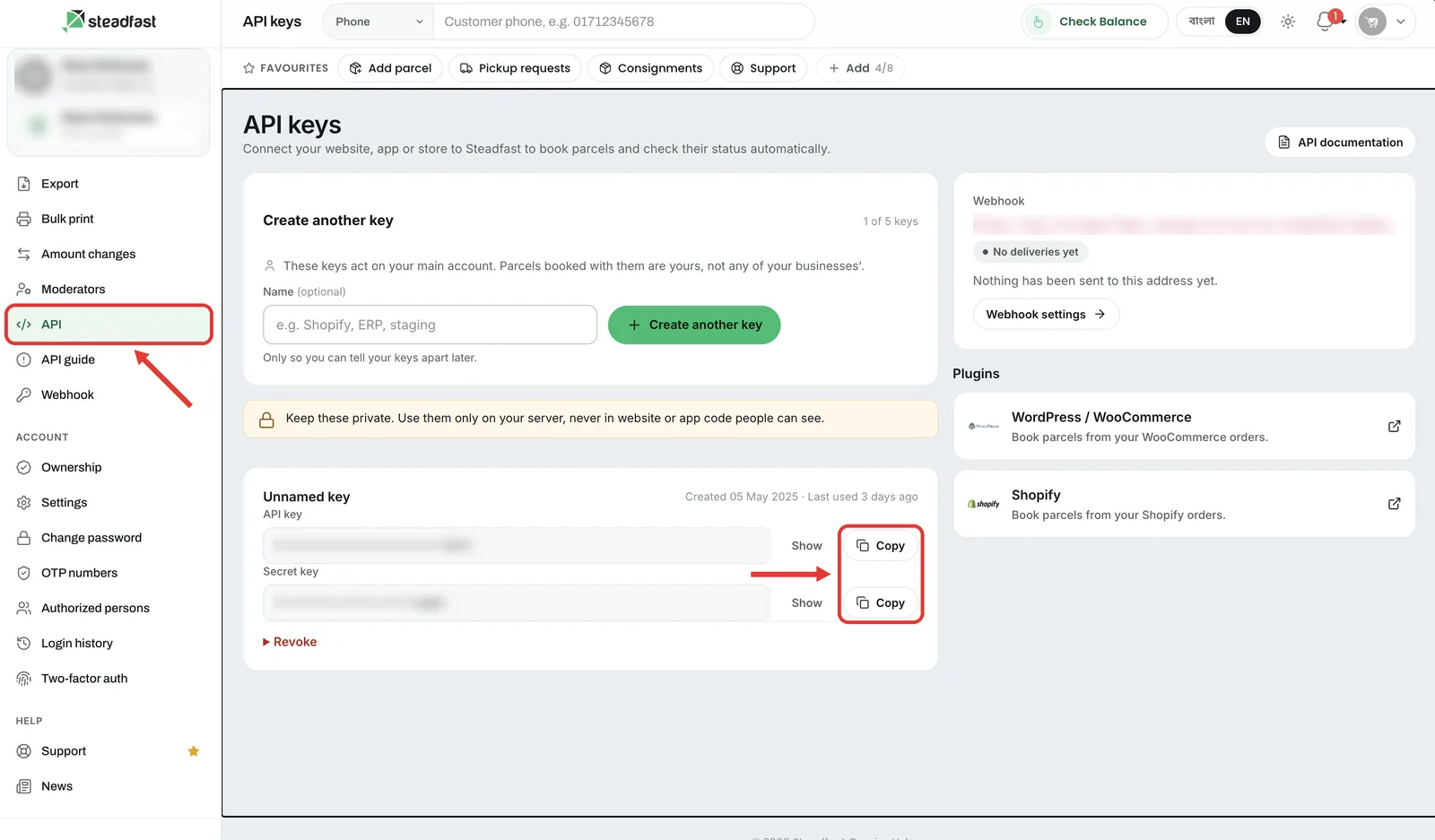
Keep these keys private. Anyone with them can book parcels on your account.
3. Paste the keys into the app
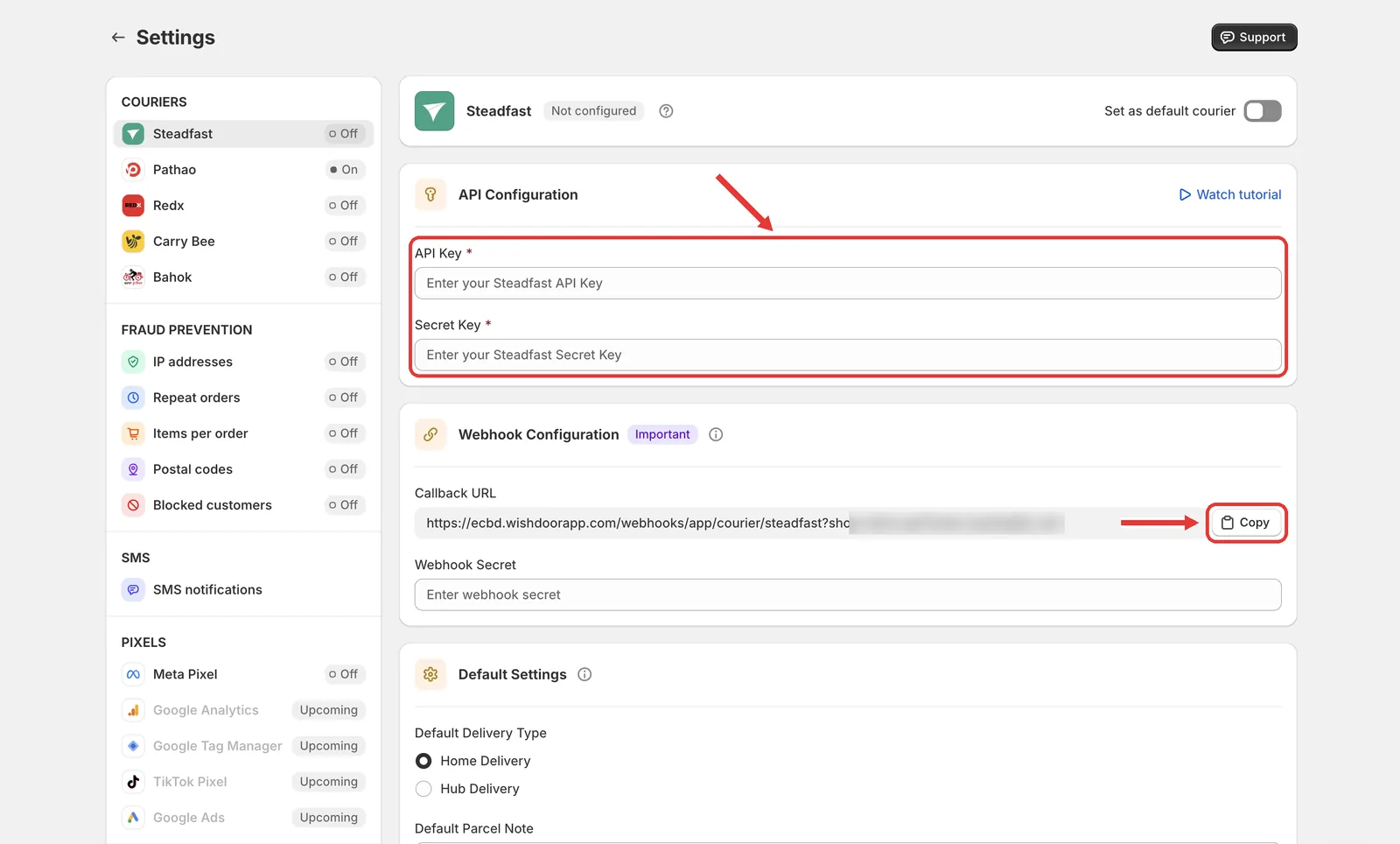
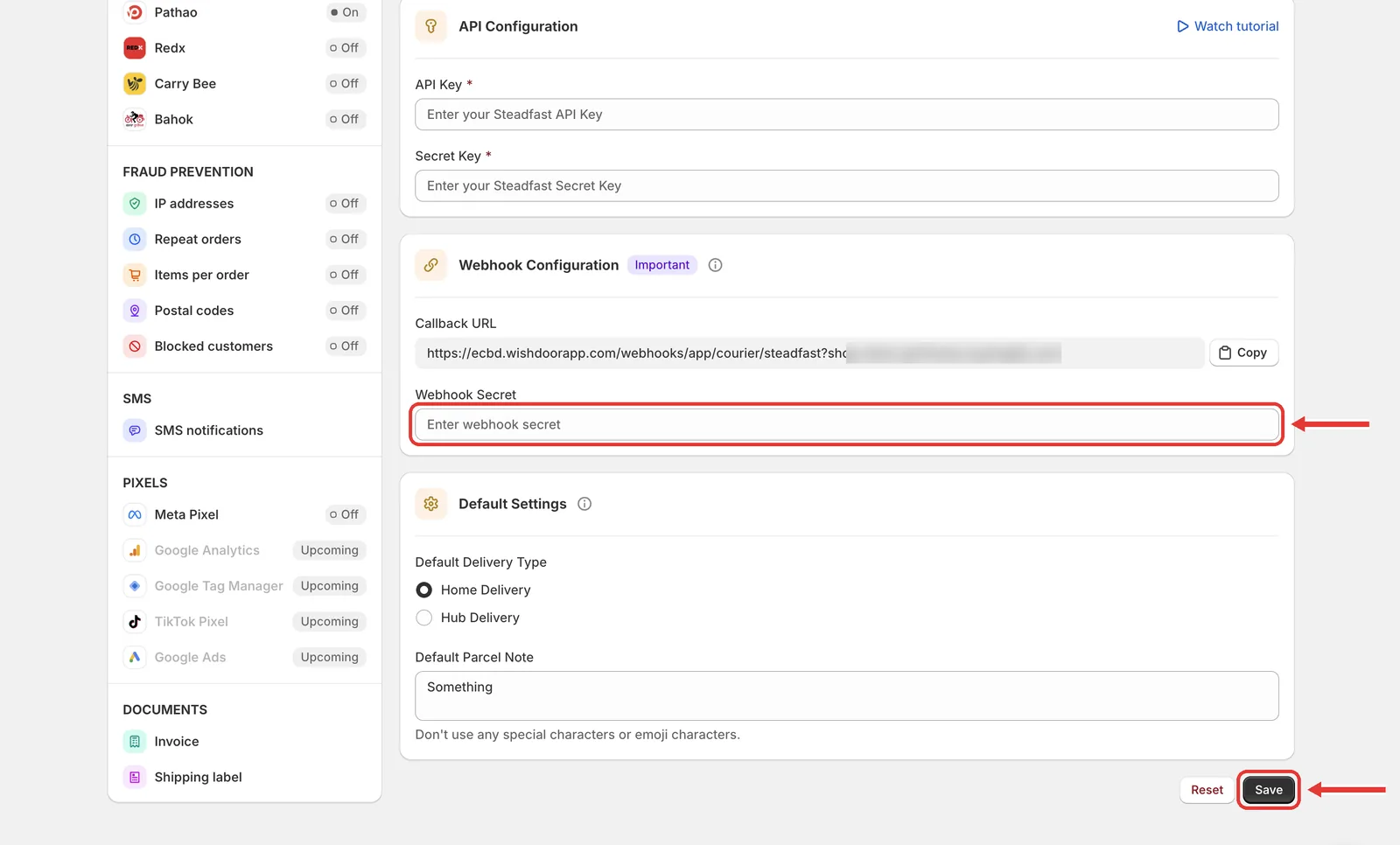
In the app, go to Settings → Couriers → Steadfast. Paste the API key into API Key and the secret key into Secret Key.
4. Connect the webhook
The webhook lets Steadfast send delivery updates, such as delivered or returned, back to the app.
- In the app, under Webhook Configuration, click Copy next to the Callback URL.
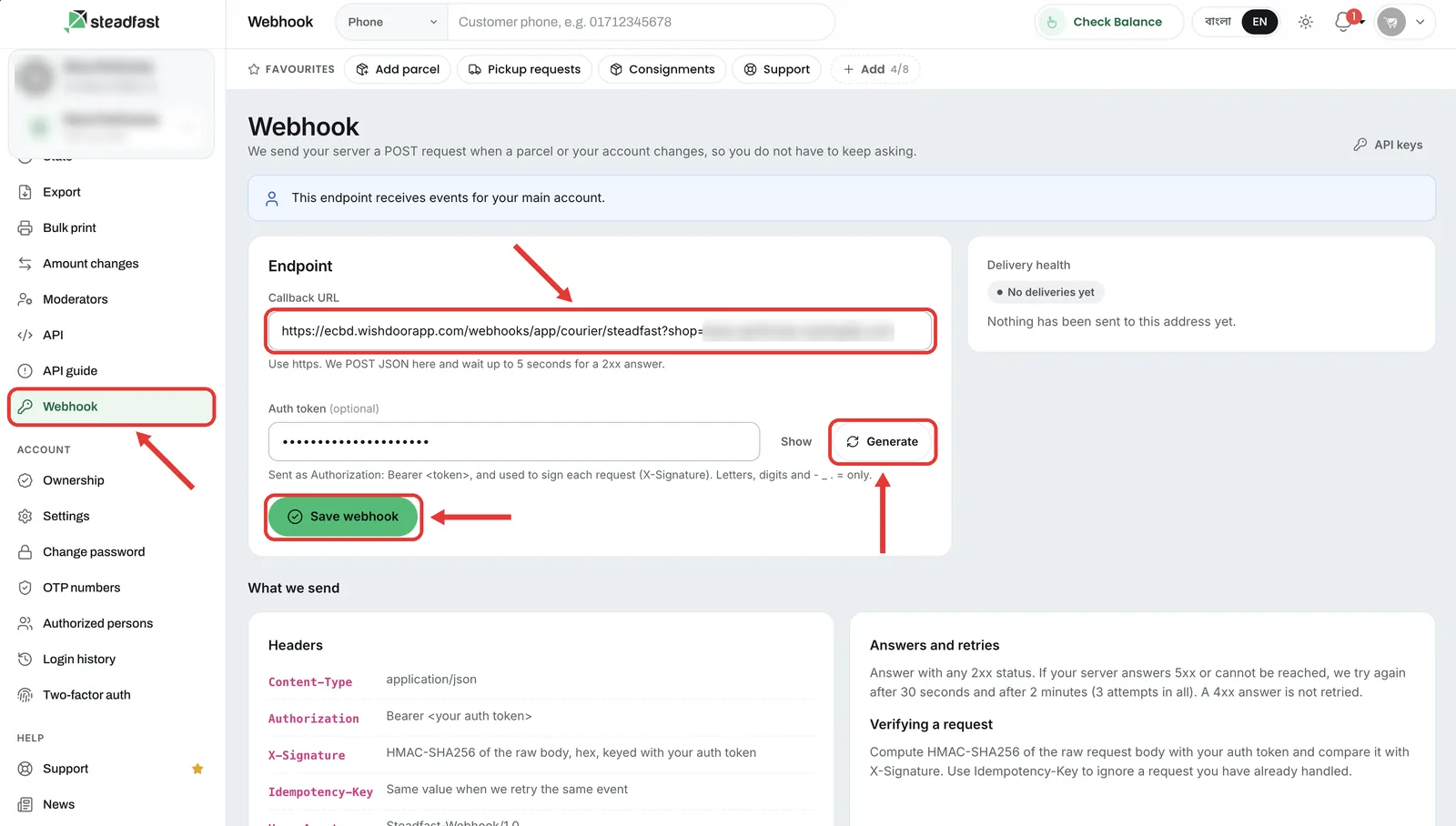
- In Steadfast, click Webhook in the sidebar.
- Paste the URL into Callback URL.
- Click Generate to create an Auth token, then click Show and copy it.
- Click Save webhook.
5. Add the webhook secret and save
- Back in the app, paste the auth token into Webhook Secret.
- Under Default Settings, choose the Default Delivery Type: Home Delivery or Hub Delivery.
- Optionally add a Default Parcel Note. Don’t use special characters or emoji.
- Click Save.
The Not configured badge at the top changes once the keys are saved. Turn on Set as default courier if you want Steadfast picked first when you assign orders.
Troubleshooting
| Problem | Fix |
|---|---|
| Saving fails | Copy the keys again with the Copy buttons. Typed keys often have extra spaces. |
| Orders don’t update after delivery | Check the Callback URL in Steadfast matches the app’s exactly, and the auth token is the same in both places. |
| Steadfast shows “No deliveries yet” | Normal until your first parcel changes status. |
| Parcel note rejected | Remove special characters and emoji from the Default Parcel Note. |
Next: assign your first order.