
Plans and billing
Your plan sets how many COD orders, courier bookings, shipping labels and invoices you can use each month. Billing goes through your Shopify account. Your SMS balance is separate: you top it up whenever you need more texts.
Open Plans in the app menu.
Your current plan
The card at the top shows your plan, how you pay (for example Monthly, $10.99 / month), your limits and your Next billing date.
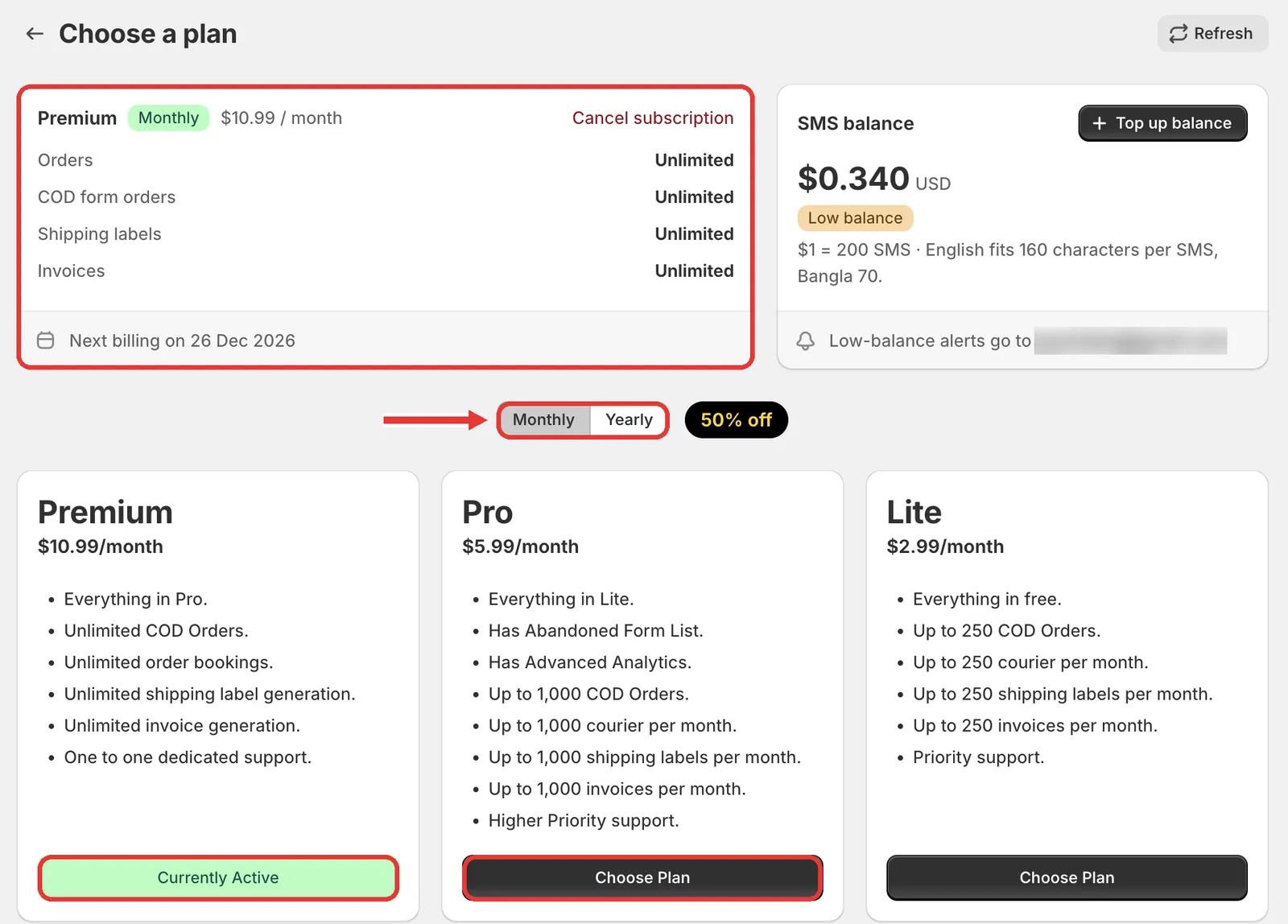
Compare plans
| Free | Lite | Pro | Premium | |
|---|---|---|---|---|
| Monthly price | $0 | $2.99 | $5.99 | $10.99 |
| Yearly price | $0 | $17.94 | $29.95 | $54.95 |
| COD orders | 50 | 250 | 1,000 | Unlimited |
| Courier bookings | 50 / month | 250 / month | 1,000 / month | Unlimited |
| Shipping labels | 50 / month | 250 / month | 1,000 / month | Unlimited |
| Invoices | 50 / month | 250 / month | 1,000 / month | Unlimited |
| Abandoned form list | Yes | Yes | ||
| Advanced analytics | Yes | Yes | ||
| Support | Standard | Priority | Higher priority | One to one, dedicated |
Every plan includes the customisable COD form, shipping rates and fraud prevention. Each plan includes everything in the plan below it. Prices may change; the Plans page in the app always shows the current ones.
Save with yearly billing
Click Yearly above the plans. Yearly plans cost about half, with the same monthly limits. Each plan shows its yearly total and how much you save, for example Premium at $54.95 a year saves $76.93.
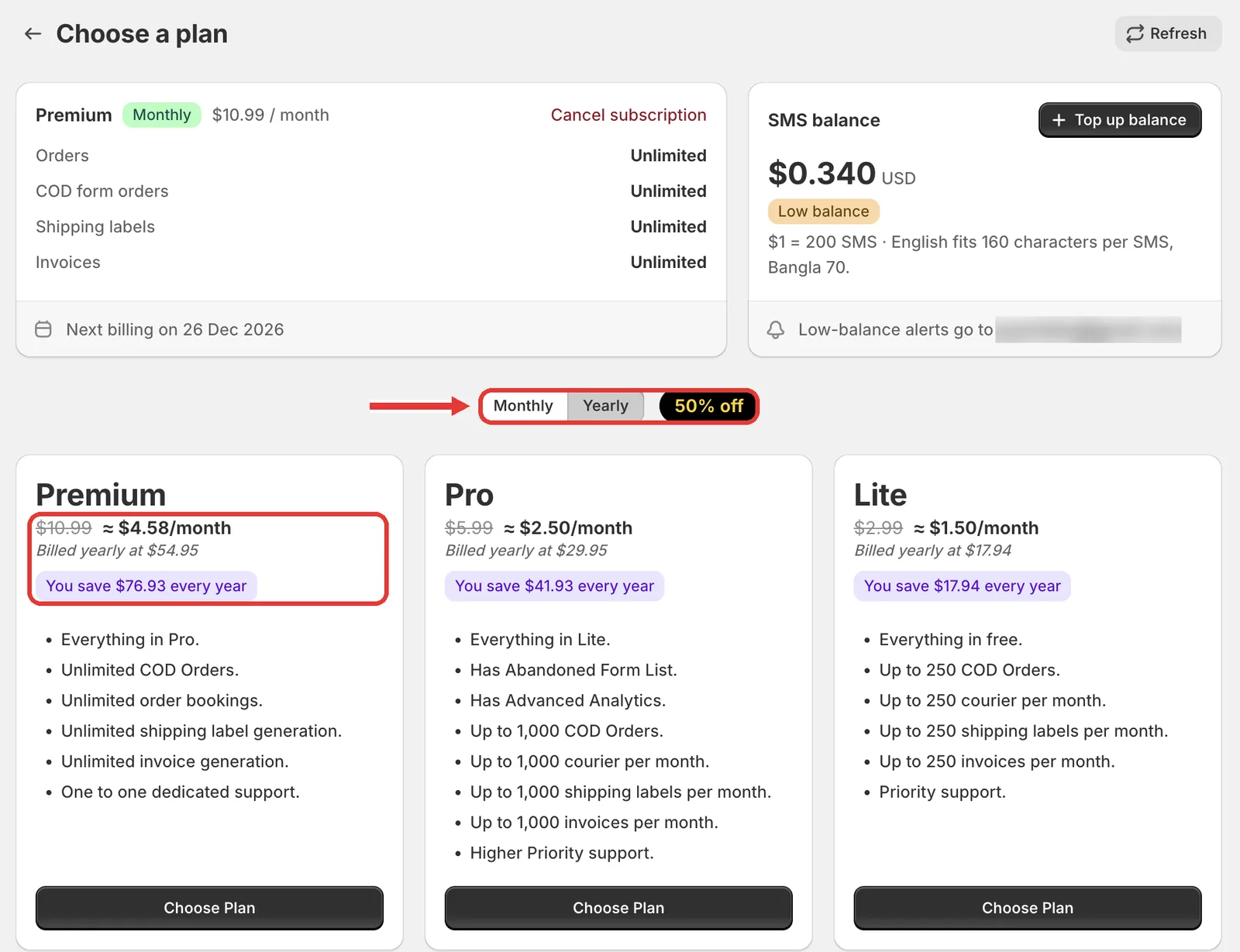
Change or cancel your plan
- Upgrade or downgrade: click Choose Plan on the plan you want, then approve the charge in Shopify.
- Cancel: click Cancel subscription on your current plan. You move to the Free plan.
Limits reset at the start of each calendar month. If you reach your COD order limit, new orders are held, not lost.
Top up your SMS balance
SMS notifications use a prepaid balance, shown on the SMS balance card. $1 buys about 200 texts. One text fits 160 English characters or 70 Bangla characters. A Low balance badge appears when it’s running out, and alerts go to your email.
- Click Top up balance.
- Pick a Quick top up amount ($5, $10, $25, $50 or $100), or enter a Custom amount between $1 and $500.
- Click Top up and approve the charge in Shopify.
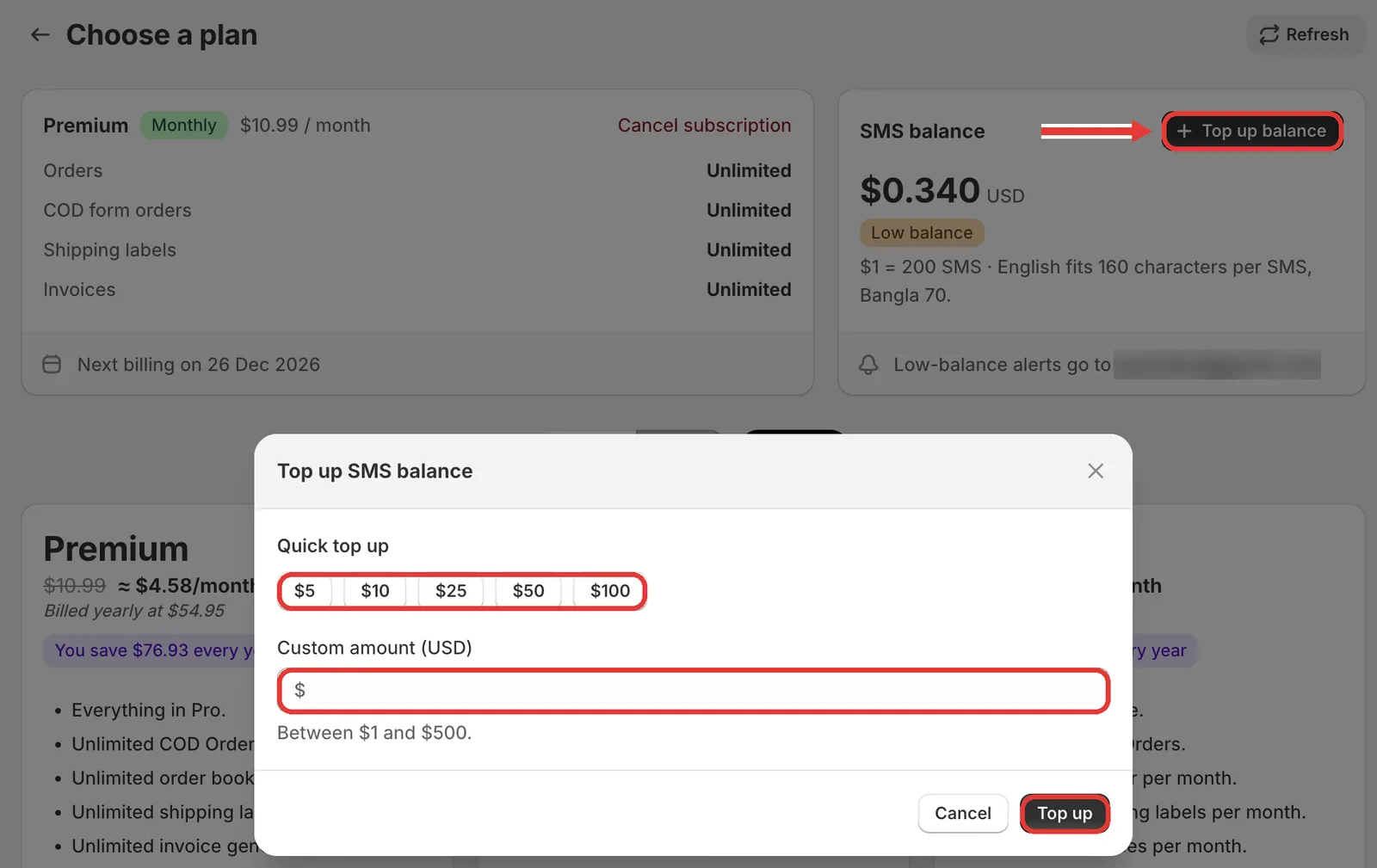
When your SMS balance runs out, texts stop sending. Top up before a big sale.