
Shipping label
The app prints a shipping label for each order, with the sender, the receiver, the parcel ID, the COD amount and a barcode the courier scans at pickup.
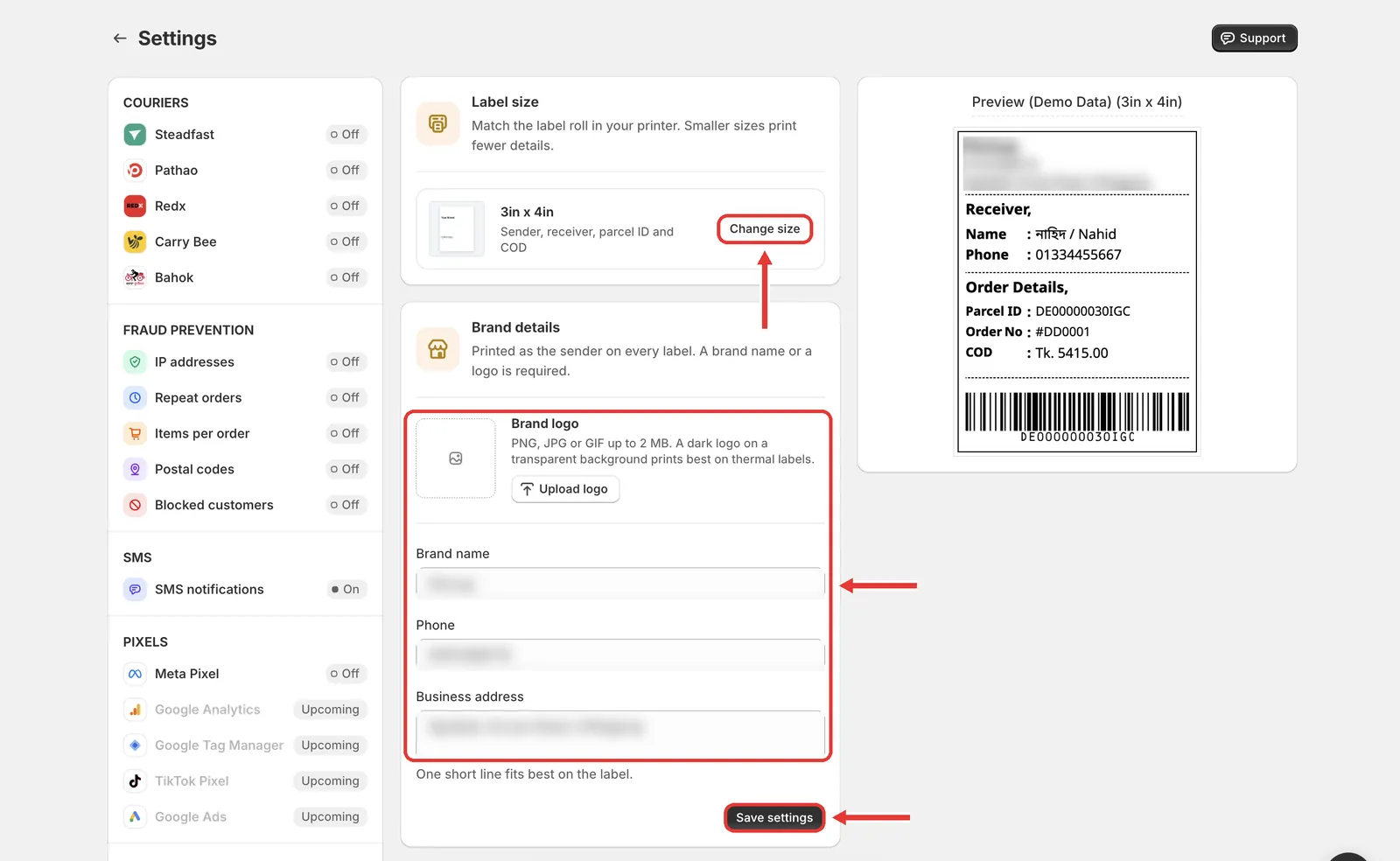
Go to Settings and click Shipping label under Documents in the sidebar. The Preview on the right shows a sample label with demo data and updates as you change settings.
1. Choose a label size
Pick the size that matches the label roll in your printer. Under Label size, click Change size.
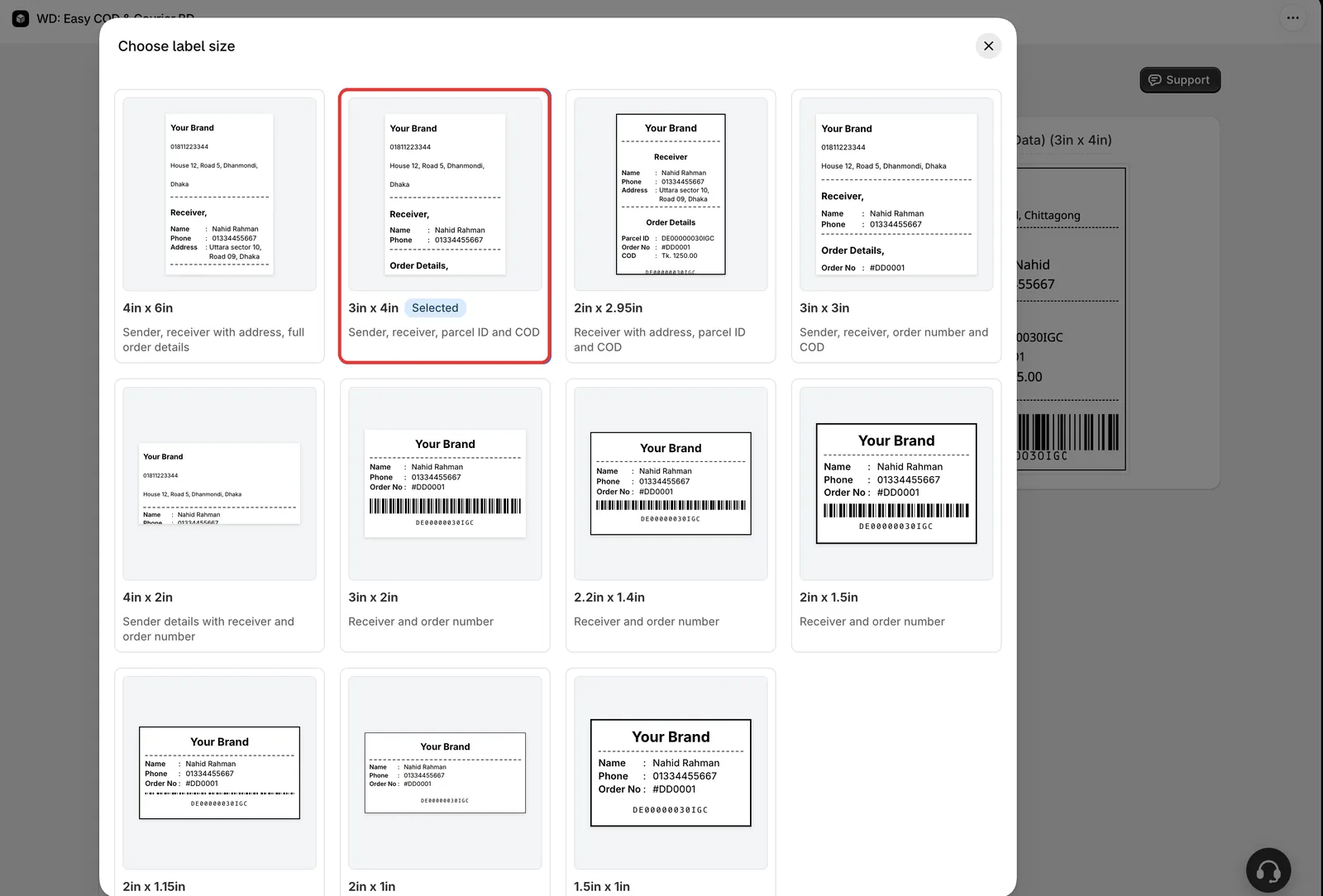
Smaller labels print fewer details:
| Size | What’s printed |
|---|---|
| 4in x 6in | Sender, receiver with address, full order details |
| 3in x 4in | Sender, receiver, parcel ID and COD |
| 2in x 2.95in | Receiver with address, parcel ID and COD |
| 3in x 3in | Sender, receiver, order number and COD |
| 4in x 2in | Sender details with receiver and order number |
| 3in x 2in | Receiver and order number |
| 2.2in x 1.4in | Receiver and order number |
| 2in x 1.5in | Receiver and order number |
| 2in x 1.15in | Receiver and order number |
| 2in x 1in | Receiver and order number |
| 1.5in x 1in | Receiver and order number |
Click a size to select it. The preview switches to that size.
Not sure? 4in x 6in is the standard thermal shipping label. 3in x 4in suits smaller thermal printers.
2. Add your brand details
These print as the sender on every label. A brand name or a logo is required.
- Brand logo: PNG, JPG or GIF, up to 2 MB. A dark logo on a transparent background prints best on thermal labels.
- Brand name: your shop name.
- Phone: the number customers and couriers can call.
- Business address: one short line fits best on the label.
3. Save
Click Save settings.
Print labels
On the app’s home page, select the orders you want and print their labels. Labels download as a PDF ready for your printer.
The number of labels you can print each month depends on your plan.
Tips
- Set your printer’s paper size to the same size you chose here, or the label prints shrunk or cut off.
- If details are cut off, choose a larger size. Small sizes leave out the sender and address on purpose.