
Fraud check
A fraud check looks up a customer’s phone number across Bangladeshi courier networks and shows how many of their past orders were delivered or cancelled. Use it before shipping a COD order to spot customers who often refuse parcels.
1. Run a check
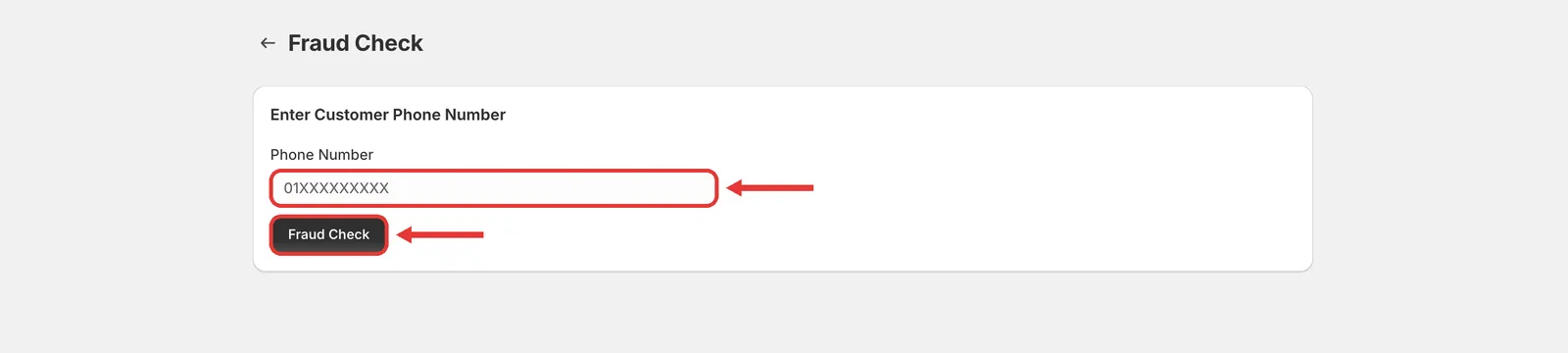
- Open Fraud Check in the app menu.
- Enter the customer’s phone number in Phone Number, in the format
01XXXXXXXXX. - Click Fraud Check.
You can also see a customer’s result straight from your order list: the Fraud Check column on the home page shows each order’s delivery history, for example “Delivered 31, Cancelled 2”, or “New customer, No history”.
2. Read the result
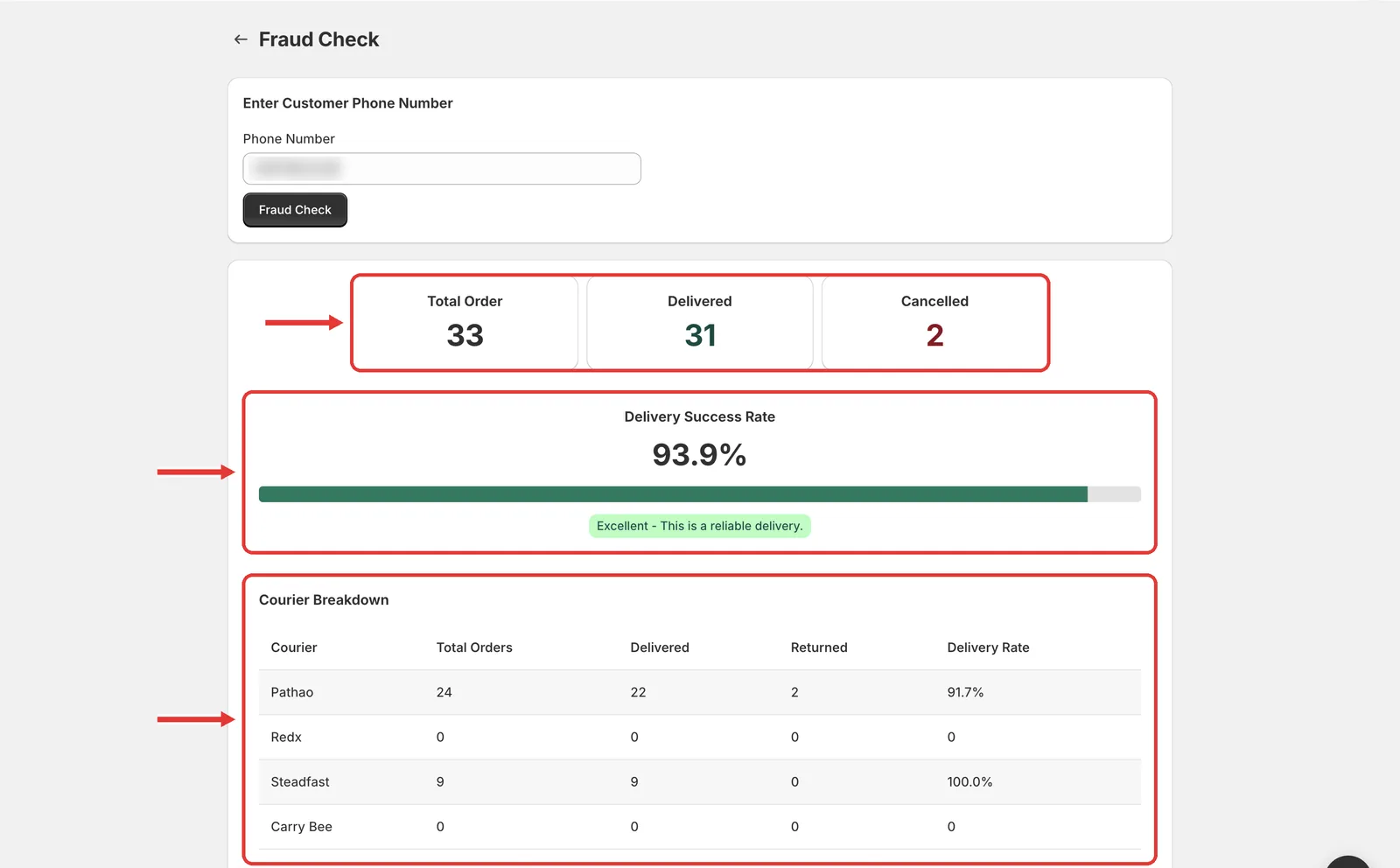
Totals
| Number | Meaning |
|---|---|
| Total Order | Orders this phone number has placed across all couriers |
| Delivered | Orders the customer received |
| Cancelled | Orders that didn’t reach the customer |
Delivery Success Rate is delivered orders as a share of all orders, with a verdict underneath, for example Excellent - This is a reliable delivery.
Courier Breakdown splits the history by courier (Pathao, Redx, Steadfast, Carry Bee), with each courier’s total orders, delivered, returned and delivery rate.
3. Decide what to do
| Result | Suggested action |
|---|---|
| High success rate | Ship as normal. |
| No history | A new customer. Ship, or call first for a large order. |
| Low success rate or many cancellations | Call the customer to confirm before shipping, or ask for an advance payment. |
A low score is a signal, not a verdict. A customer may have refused a parcel for a good reason, such as a wrong or damaged item. Call before cancelling.
Good to know
- Results come from courier networks, so a customer who only ordered through other couriers may show little or no history.
- Sometimes a courier’s data isn’t available. If a result looks wrong, try again later.
- To block known fake customers automatically, set up fraud prevention.