
Invoice
The app prints an A4 invoice for each order, with your brand, the customer, the items and the totals. You choose the layout and the details shown.
Go to Settings and click Invoice under Documents in the sidebar. The Preview on the right shows a sample invoice with demo data.
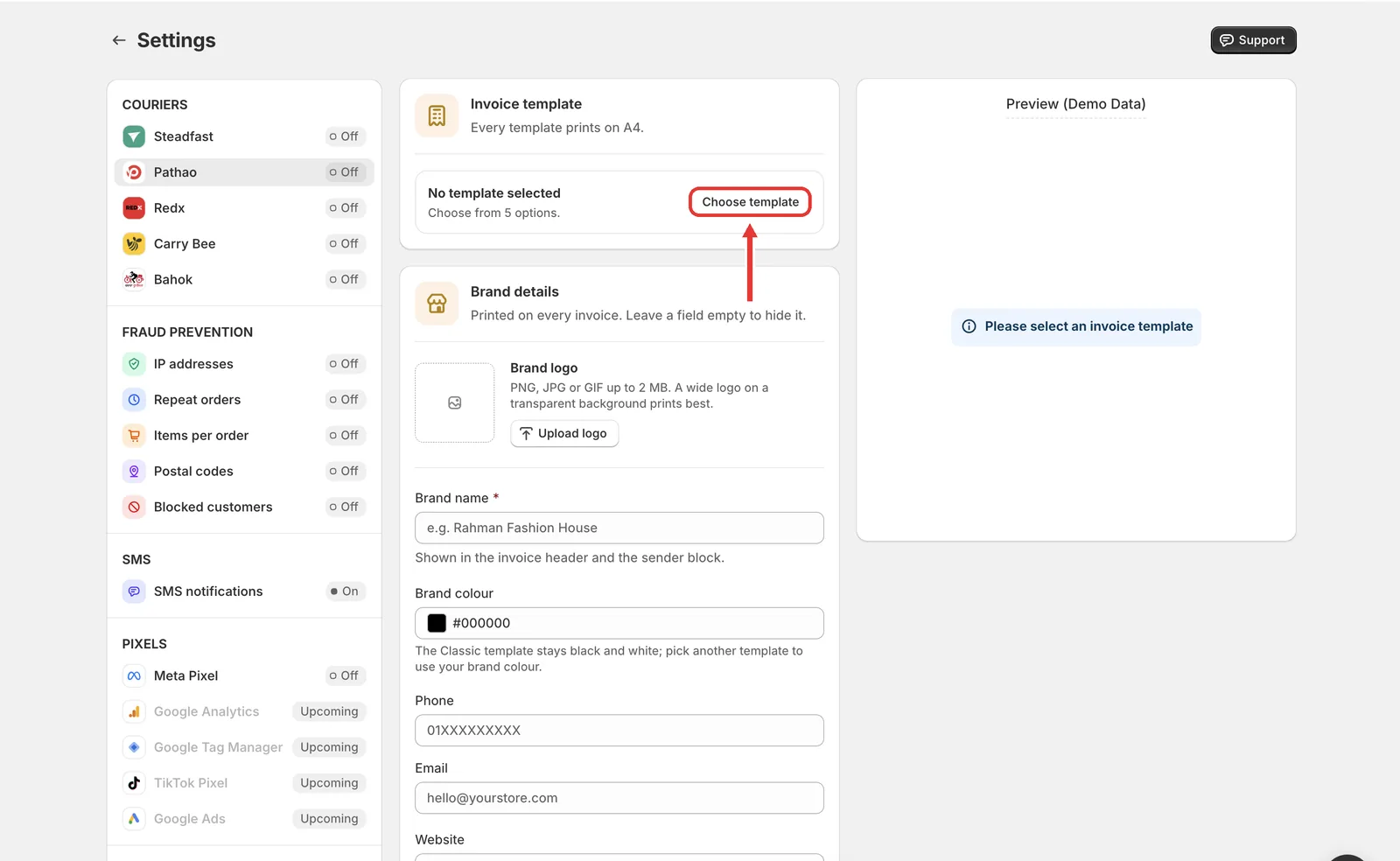
1. Choose a template
Under Invoice template, click Choose template. Until you pick one, the preview shows “Please select an invoice template”.
Pick one of five templates. All print on A4.
| Template | Style |
|---|---|
| Classic | Traditional bordered table with Bill from and Bill to. Always black and white. |
| Modern | Clean layout with a slim accent bar |
| Cash on Delivery | Large collect amount, courier and consignment number, and signature lines. Made for COD orders. |
| Bold | Dark branded header with a highlighted amount due |
| Elegant | Centred logo, soft tones and roomy item rows, for boutiques |
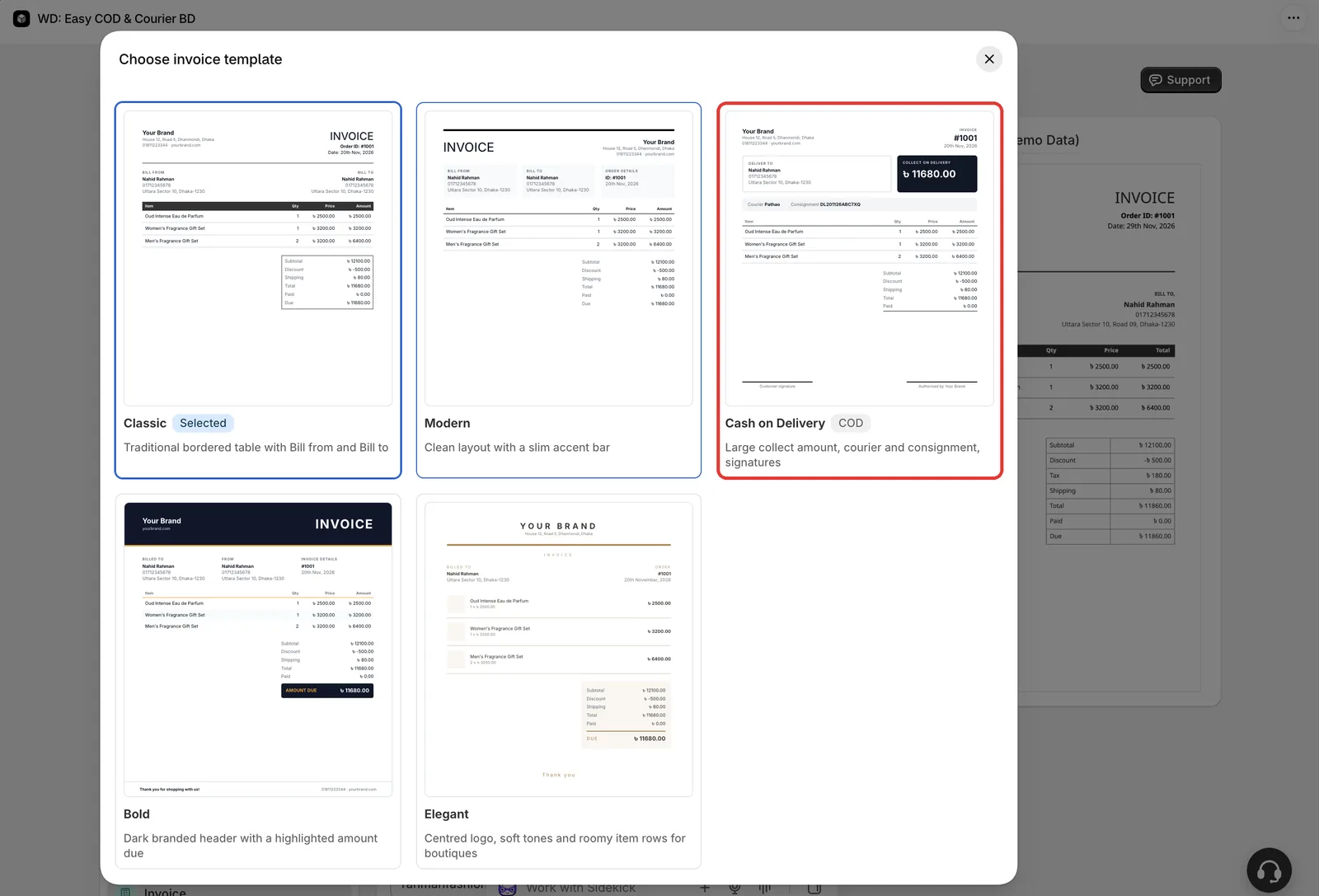
You can switch any time with Change template.
2. Add your brand details
These print on every invoice. Leave a field empty to hide it.
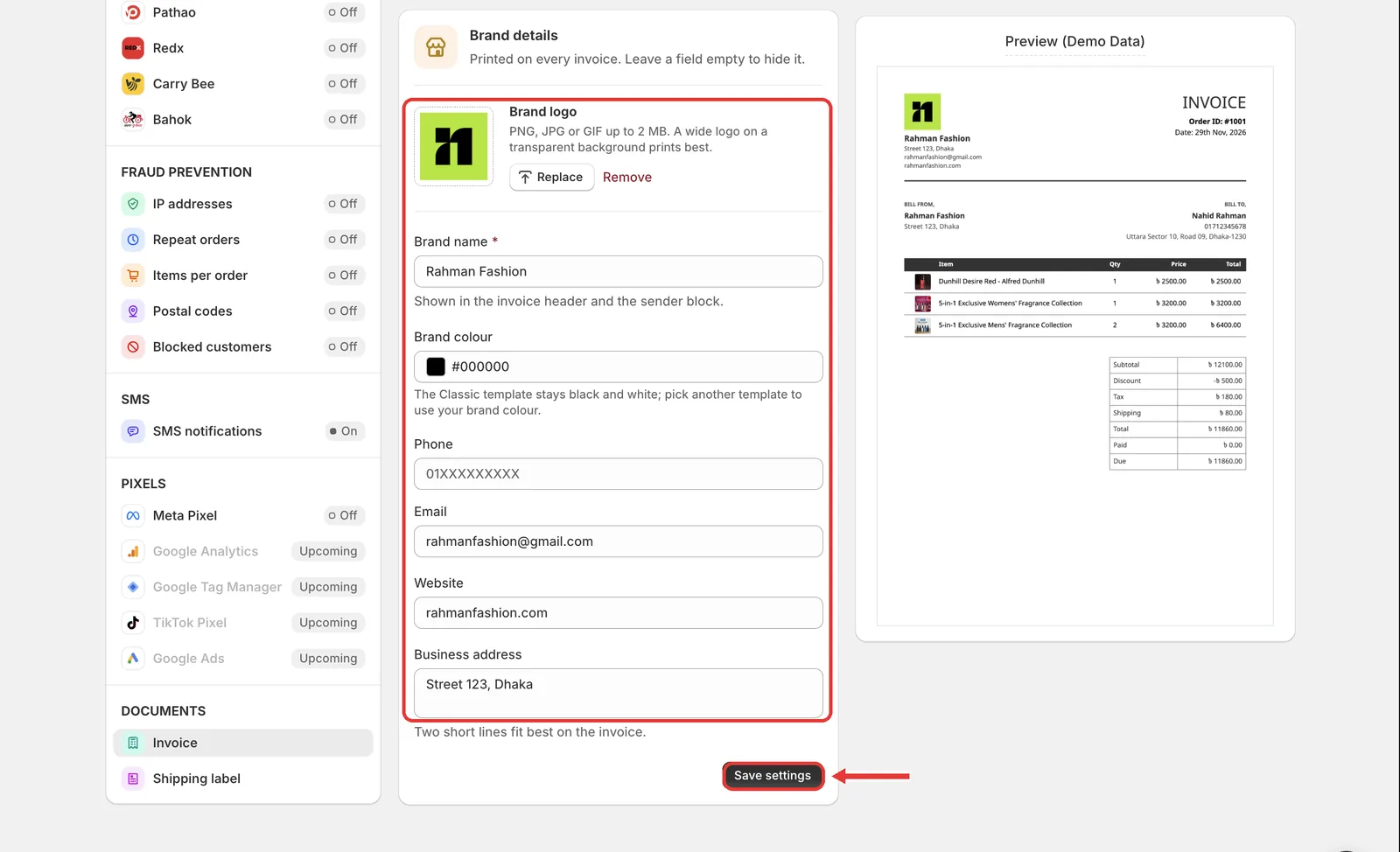
| Field | Notes |
|---|---|
| Brand logo | PNG, JPG or GIF up to 2 MB. A wide logo on a transparent background prints best. Use Replace or Remove to change it. |
| Brand name (required) | Shown in the invoice header and the sender block |
| Brand colour | Accent colour for the Modern, Cash on Delivery, Bold and Elegant templates. Classic stays black and white. |
| Phone, Email, Website | Your contact details |
| Business address | Two short lines fit best |
3. Save
Click Save settings.
Print invoices
On the app’s home page, select the orders you want and print their invoices. Invoices download as a PDF on A4 paper.
The number of invoices you can print each month depends on your plan.